
Update your contact details
Update your email, mobile number or address online in minutes, so you don’t miss important account updates from us.
Help us keep your account safe and secure
Keeping your details current means if something doesn’t look quite right, we can get a hold of you quickly to help keep your account safe. We’ll also need your current address if we need to send you a new or replacement debit or credit card.
What details can you update online?
- Your email address
- Your mobile phone number
- Your address
How to update your contact details
In the Westpac App
Make sure you have the latest version of the app.
- Search Update contact details in the Smart Search bar
- Edit, add or delete the address, phone number or email
- Save changes to any updates made.
In Online Banking
- Go to Services > Preferences > Personal details
- Select Personal and Contact Details
- Enter the SMS code sent to your registered mobile and select Next
- Edit, Add or Delete the address, phone number or email
- Save changes to any updates made.
From scam call to SafeCall
Answer with confidence using SafeCall. An Australian-first in-app calling feature designed to help prevent scammers from impersonating us.
Things you can do to protect yourself
Westpac ProtectTM Security Code
Ensures you're the only person that can confirm certain transactions and changes to your account.
Daily Payment Limit
Setting a limit, which can be changed when you need, limits daily transfers for added security.
Switch to eStatements
Reduce identity theft risk. Receive statements electronically with the Westpac App or Online Banking.
Push notifications
Receive mobile reminders like deposit, withdrawal, credit card repayment, security and account notifications.

Westpac Protect™ Online Banking Security Guarantee
If your Westpac account is compromised due to Online Banking fraud, we guarantee to repay any missing funds, provided you comply with our Online Banking Terms and Conditions.
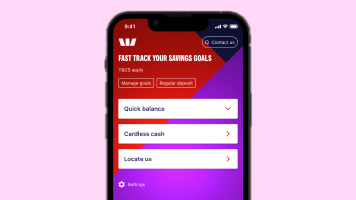
Simple and safe ways to sign in using the Westpac App
Choose from 4 convenient ways to sign into your Online Banking account when using the Westpac App: Facial recognition, fingerprint, 4-digit password, or typing in your password.
Frequently asked questions
For security reasons, changes to your name or date of birth can’t be made online and need to be completed in branch. Please bring at least one of the following original documents with you:
- Registry of Births, Deaths & Marriages document (ceremonial documents not accepted)
- Passport
- Valid Driver’s license
You can find your local Westpac branch to complete your update in person.
Updating your mobile number doesn’t automatically update your Westpac Protect™ Security Code number. To receive SMS security codes, your mobile number needs to be linked to your account.
Please call us on 1300 655 505 (8am-8pm Sydney time, Mon-Sun), or +61 2 9155 7700 if you’re overseas, and we’ll help you update it so you can start receiving the SMS codes to your new number.
Please call us on 1300 655 505 (8am-8pm Sydney time, Mon-Sun), or +61 2 9155 7700 if you’re overseas, and we’ll help you update it so you can start receiving the SMS codes to your new number.
You can do this in Online Banking or the Westpac App, as long as your current mobile number is linked to the account. Learn how to register for Westpac Protect™ Security Code.
Yes. Because you can’t edit an existing PayID yourself, you’ll need to contact us to cancel your current PayID for you to then be able to set up a new one.
What to do next:
- Call us to cancel your existing PayID on 1300 655 505 (8am-8pm Sydney time, Mon-Sun), or +61 2 9155 7700 if calling from overseas
- Update your Westpac Protect™ SMS Code number
- Set up a new PayID in the Westpac App or Online Banking


Things you should know
Read the Westpac Online Banking Terms and Conditions (PDF 899KB) at westpac.com.au before making a decision and consider whether the product is right for you.
The Westpac App and Online Banking are only available for use by Westpac Australia customers. Internet connection is needed to access the Westpac App. Normal mobile data charges apply.
Westpac’s Online Banking Security Guarantee: If your Westpac account is compromised as a result of Internet fraud, we guarantee to repay any missing funds, providing you comply with our Online Banking Terms and Conditions. This includes keeping your sign-in details (including passwords, Westpac Protect™ SMS codes and SecurID® Token codes) private. You must inform us immediately if you suspect the security of your access details has been compromised, or you suspect an unauthorised transaction or potential fraud on your accounts.
Apple, the Apple logo and iPhone are trademarks of Apple Inc., registered in the U.S. and other countries. App Store is a service mark of Apple Inc.
Android, Google Play and the Google Play logo are trademarks of Google LLC.
PayID is a registered trademark of NPP Australia Limited.