
Manage my home loan online
Fine-tune your home loan in your own time in Online Banking or the Westpac App. Whether it’s your first home or you’re looking to invest, upgrade, or add a fresh new space to your home, explore your options online.
Setting up and checking in on your Home Loan
How do I check my Home Loan details?
To check your current rate, balance and repayments, sign into your account. To check your rate and repayments, including any extra repayments you've made:
In the Westpac App:
Make sure you have the latest version of the app.
1. Select your home loan account
2. Tap the (i) icon in the top right corner to view your rate.
In Online Banking
1. Select your home loan then View account details
2. Select Interest to view your rate.
All Westpac fixed and variable home loans come with a redraw facility. Redraw lets you make extra repayments that you can tap into should you need to. All you have to do is ensure that you’ve activated redraw on your home loan. There are no fees for using redraw.
Activate redraw
If you haven’t set up redraw yet:
1. Go to Home loan settings
2. Then, Manage redraw and follow the instructions. Redraw activation can take up to 1 day online.
How to use redraw
1. Select your home loan account
2. Select Transfer to move funds to a Westpac account, or
select Pay to transfer to another bank account.
Are there redraw limits?
Yes, depending on whether you have a variable or fixed loan.
| Extra repayment | Redraw | |
|---|---|---|
| Variable loan limit | Unlimited | Unlimited (daily withdrawal limit $100k, no limit in-branch) |
| Fixed loan limit | $30k total during your fixed term (if exceeded, break cost may apply) | $30k total during your fixed term |
How does an offset account work?
An offset account lets you reduce the amount of interest payable on your home loan. It does this by offsetting the balance of your linked account against your loan balance. That means you’re only charged interest on the difference. The more money you keep in your offset account, or you have across multiple offset accounts linked to the same home loan, the less interest you’ll need to pay overall.
What type of account can be an offset account?
You’ll need a Choice account under your name, or you and your joint borrower’s name. A $5 monthly account-keeping fee usually applies to a Choice account. By linking your Rocket Repay Home Loan or Rocket Investment Loan to your Choice account the fee will be waived (other fees may apply).
Link up to 10 offset accounts
If you have a Rocket Repay Home Loan or a Rocket Investment Loan, you can link up to 10 offsets. Each eligible offset account can link to just one loan account. Linking can take up to 5 business days from request.
In the Westpac App:
Make sure you have the latest version of the app.
1. Search Manage offset accounts in the Smart Search bar
2. Follow the prompts.
In Online Banking
1. Go to Service > Account services > select Manage offset accounts
2. Follow the prompts.
Other helpful resources:
How to set up a Direct Debit
Never miss an automated repayment, even if your minimum repayment amount changes. From a Westpac account in your name:
In the Westpac App
Make sure you have the latest version of the app.
1. Type home loan Direct Debit in the search bar
2. Follow the prompts
In Online Banking
1. Select Manage direct debit
2. Follow the prompts
Download, complete and return the relevant form (to your local branch, or scan and email loanmaintenance@mortgage.westpac.com.au
How to set up a repeat or recurring payment
Instead of, or in addition to a Direct Debit, you can schedule a payment:
In the Westpac App
Make sure you have the latest version of the app.
1. Tap $ and select Payment type
2. Select who to pay
3. Enter the Amount and tap Schedule
4. Select the date and how often to make the payment
In Online Banking
1. Select Payment > Make a Payment
2. Select Recurring Payment in Payment Details
How to adjust your repayments
For principal and interest home loans, you can change your repayment amount and frequency as long as you’re debiting a Westpac account in your name. You can’t adjust repayments on interest-only loans, but you can make separate additional repayments if you set up a recurring payment. For more details on interest-only home loans.
In the Westpac App
Make sure you have the latest version of the app.
1. Search home loan direct debits in the Smart Search bar
2. Tap your home loan and follow the prompts
In Online Banking
1. Select your home loan
2. Select More and then Home loan direct debit in the dropdown
3. Select your account and follow the prompts
Other helpful resources:
Switch to fixed
If you already have a variable home loan with us, it’s simple to fix all or a portion of your loan online. Before fixing your entire loan, you’ll need to consider what you want to do with any offset funds or any funds ‘available’ for redraw.
How do I fix all or a part of my home loan?
In the Westpac App
Make sure you have the latest version of the app.
1. Select your home loan account
2. Scroll down to Home loan settings and select Switch to fixed rate
3. Choose to fix a portion (split) or the entire loan, and select the number of years
4. Follow the prompts and submit
In Online Banking
1. Select your home loan account
2. On your dashboard, open your loan’s drop-down menu
3. Choose to fix a portion (split) or the entire loan, and select the number of years
4. Follow the prompts and submit
Other helpful resources:
Switch to eStatements
Go paperless and access your Westpac home loan statements securely online, anytime:
In the Westpac App
Make sure you have the latest version of the app.
1. Search eStatements in the Smart Search bar
2. Tap Switch to eStatements and select the account
3. Tap eStatement then Update
In Online Banking
1. Select Service on the menu bar
2. Under Your preferences select Statement settings
3. Under Statements select an Account
4. Select eStatements and Save
Other helpful resources:
Home Loan Interest Rate News
Tuesday, 17th March 2026 announcement
Reserve Bank of Australia Cash Rate Update
Following the Reserve Bank of Australia's (RBA) decision to increase the official cash rate, we have announced the following changes to our variable home loan interest rates effective Tuesday, 31st March 2026.
Visit our interest rate news to find out more information about these changes and estimate your new repayments.
Get interest rate discounts, plus savings on credit cards and insurance
More offsets, less home loan

Where next? Self-serve in your own time

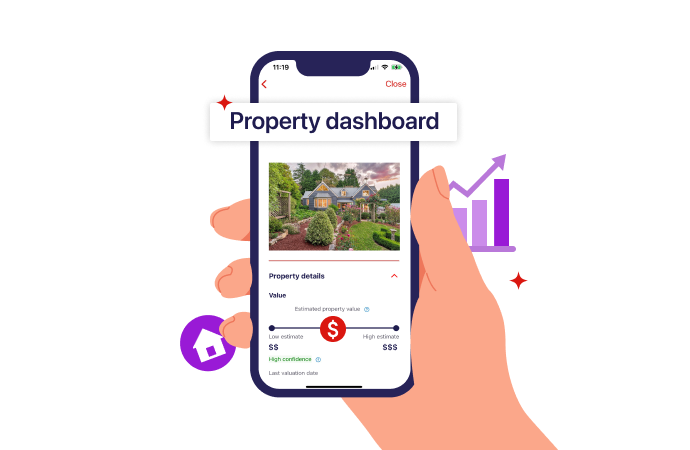
Track all your properties with a Westpac home loan in one place
Equity calculator
Rate change calculator
Prepare for interest rate changes
Help when you need it


Things you should know
Conditions, credit criteria, fees and charges apply. Based on Westpac's credit criteria, residential lending is not available for Non-Australian Resident borrowers.
Read the Westpac Online Banking Terms and Conditions (PDF 633KB) at westpac.com.au before making a decision and consider whether the product is right for you.