
International money transfer
Send foreign currency overseas via Online Banking or the Westpac App and you'll pay no Westpac transfer fees. Read on to find out more.
Sending money overseas?
Whether you're supporting family or paying a supplier, Westpac makes it simple to send and track international payments.
At a glance
$0
Westpac transfer fee
As long as you're sending in a foreign currency and via Online Banking or the Westpac App. Other fees may apply.
200+
Countries available
Start an international payment to check which currencies you can send and the current rates. Subject to system availability.
1
Convenient way
Use your Westpac bank account to send and receive money. It's the simple and safe way to handle international money transfers.
Learn more about our FX rates
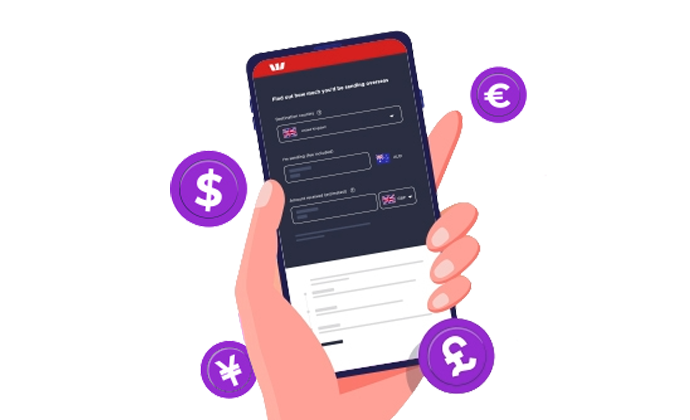
Fix an FX rate for a later date
Control your FX conversions
Required for international transfers
STAY CONFIDENT WITH YOUR FOREIGN EXCHANGE
International payment tracking
How do I send money overseas?
What you’ll need
To send money overseas using Online Banking or the Westpac App, you must:
- Hold an eligible Westpac transaction account (fees and charges may apply)
- Be registered for Online Banking
- Be registered for Westpac Protect™ Security Code
- Be 14 years or older
- Ensure your Daily Payment Limit meets your needs or update in Online Banking or the Westpac App
- Have your Payee details.
Depending on which country you’re sending the money to, you’ll need:
- Payee details: account holder name and account number or an International Bank Account Number (IBAN).
- Full payee address: including country/country code, state, province, postcode where applicable.
- Payee's bank codes: Such as BIC/SWIFT code - find out more about typical bank codes by country
Transfers to selected countries are only available for amounts AUD $1,000 and above, or the foreign currency equivalent value. The countries currently subject to this restriction are Cambodia, Ghana, Indonesia, Laos, Mexico, Pakistan, Philippines, Thailand, and Vietnam. This condition is subject to change at any time at Westpac's discretion.
Before trying these instructions make sure you update to the latest version of the app.
- Tap on Payments and then Send overseas (or Pay someone if you have an existing payee)
- Select the Country to Send to
- Select the From account
- Change the Date and Frequency to schedule for a future date/s
- Check the payment Currency and enter Amount
- Review the currency, conversion rate, amounts and fees
- Select Next
- Select payee (or Add new to set up a new payee)
- Enter a Description and depending on where you are sending payment to, you may also need to select the Transfer purpose
- Select Next
- Review your transfer details and currency carefully and select Confirm to submit your payment.
- Go to Payments > Make a payment > International
- Select the Country to Send to
- Select the From account
- Change the Date and Frequency to schedule for a future date/s
- Check the payment Currency and enter Amount
- Review the currency, conversion rate, amounts and fees
- Select a payee or Create a new payee
- Enter a Description and depending on where you are sending payment to, you may also need to select the Reason for this payment
- Select Continue
- Review your transfer details and currency carefully and select Confirm to submit your payment.
To send an international money transfer in branch you will need to provide:
- ID
- Your contact number
- The payee’s name, address, account number, bank name, branch address and SWIFT Code or BIC. (IBAN required for EU/UK & most Middle Eastern States, ABA routing number for US)
- The amount you’d like to send
- The currency you’d like to use
How do I receive money from overseas?
What your sender needs
To receive money from overseas, you’ll need to let the sender know:
- Full bank name: Westpac Banking Corporation
- Westpac's BIC/SWIFT code: WPACAU2S. (If the sending bank requires 11 characters, use WPACAU2SXXX)
- Your full name and address: including suburb, state, and country/post code
- Your 12-digit bank account number: made up of your 6-digit BSB followed by your 6-digit account number. You can get your account details by signing into Online Banking or the Westpac App.
If the sender transfers Australian dollars to you
We’ll credit AUD into your account. It’s important that you give the sender the correct account details.
If the sender transfers foreign currency to you
And you provide the sender:
An everyday account: Westpac will convert the funds into AUD first, then credit your account. This should happen on the date the funds are received by Westpac, as long as they are received before cut-off times.
A Foreign Currency Account (FCA): As long as the funds transferred by your sender matches the currency of your FCA, you will receive the funds in that currency. This ensures your account is credited without issue or delay.
Find out more about:
Sending money
Exact rates: Sign into Online Banking or the Westpac App and start an international payment. You’ll be quoted a rate that you'll need to accept. Other rates may apply to future dated payments.
Receiving money
Indicative rates: Sign in to get an idea of the exchange rate that may apply on the transfer you'll receive.
The exchange rates provided are applicable to foreign exchange products described on this website. The exchange rates are indicative only as at the time and date shown, are subject to market movements and therefore change continuously. They may also vary depending on the type of the transaction involved, and may be different for transactions over a certain amount. They should not be relied upon as an accurate representation of any final pricing. You should contact Westpac for up-to-date pricing prior to dealing.
Sending money
There are 2 types of transfer fees you need to know about:
1. Westpac's transfer fees
| Transfer using | Fee (AUD) |
|---|---|
| Westpac Online Banking or the Westpac App (sent in a foreign currency) | $0 |
| Westpac Online Banking or the Westpac App (sent in Australian dollars) | $20 |
| Transfer made in a branch (sent in either Australian dollars or foreign currency) | $32 |
2. Transfer fees deducted by any other banks involved in the money transfer. Applies to any currency.
To get an estimate of the fees, start a payment.
Based on the currency of the transfer and the country/region the transfer is being sent to, additional fees may be deducted by another overseas bank or the transfer recipient’s bank. Overseas banks may impose fees and charges or convert the currency of the payment. Westpac might not have any control over the fees, charges or foreign currency conversions imposed by these institutions. Any overseas financial institution handling charges will by default be borne by the recipient of the international money transfer and deducted from the payment amount, unless otherwise organised. It is possible that the overseas bank could convert the currency of the payment at an unfavourable exchange rate. You should inform the beneficiary that, if this occurs, they should consider rejecting the payment immediately so the payment can be unwound at the prevailing exchange rate.
Receiving money
Fees to consider:
1. Westpac fee
Westpac charge a $12 AUD processing fee when you receive money from overseas. This fee is waived if you're receiving the equivalent of $100 AUD or less.
2. Sending bank(s) fee
The fee(s) deducted by any other bank involved in transferring the money from overseas.
Travel Money Card

Secure your account with SafeBlock
Frequently asked questions
When sending overseas
It usually takes 1-3 business days for the money to reach your Payee's account.
You can track the progress of your International Payment by logging into Online Banking or the Westpac App and accessing your payment list or transaction details. Find out more about tracking your payment in our FAQs.
If it hasn’t been received after 5 business days, you can follow up. Please call the Westpac International Payments and Services team on 1800 632 308 Opt 2.
Or email cenquiry@westpac.com.au and include:
- Email subject – missing payment number#####
- A copy of the original payment
- Detail the last time you checked with your Payee.
Ensure your contact details are correct within Online Banking.
When receiving money from overseas
Funds will usually be available the same business day that Westpac receives it, as long as it’s received before cut-off times. However, in some cases the processing period may be longer.
Incoming payment delay?
Sometimes delays can occur. In the event of delays, please contact the sender, who may need to discuss payment location details with the sending bank.
| Popular currencies | |||
|---|---|---|---|
 |
British Pounds - GBP |  |
US Dollars - USD |
 |
Euros - EUR |  |
New Zealand Dollars - NZD |
| All other acceptable currencies | |||
 |
Australian Dollars - AUD |  |
Norwegian Krone - NOK |
 |
Brunei Darussalem - BND |
 |
Polish Zloty - PLN (Online only) |
 |
Canadian Dollars - CAD |  |
Papua New Guinean Kina - PGK |
 |
Czech Koruna - CZK (Online only) |  |
Singaporean Dollars - SGD |
 |
Chinese Yuan - CNY |  |
Samoan Tala - WST |
 |
Danish Krone - DKK |  |
Saudi Riyal - SAR (Online Only) |
 |
Fijian Dollars - FJD |  |
Solomon Island Dollars - SBD |
 |
Filipino Peso - PHP |  |
South African Rand - ZAR |
 |
Hong Kong Dollars - HKD |  |
Sri Lankan Rupee - LKR (Online only) |
 |
Hungarian Forint - HUF (Online only) |  |
Swedish Kroner - SEK |
 |
Indian Rupees - INR |  |
Swiss Francs - CHF |
 |
Indonesian Rupiah – IDR (Online only) |  |
Tongan Pa'anga - TOP |
 |
Israeli New Shekel - ILS (Online only) |  |
Thai Baht - THB |
 |
Japanese Yen - JPY |  |
Turkish lira - TRY (Online only) |
 |
Malaysian Ringgit - MYR (Online only) |  |
United Arab Emirates Dirham - AED |
 |
Pakistani Rupees - PKR |  |
Vanuatu Vatu - VUV |
International transfers made in the above currencies are only available for amounts of AUD $1,000 in value and above. This is subject to change at any time at Westpac’s discretion.
International transfers made in these currencies are available only from 8am Monday to 11:59pm Friday (Sydney time).
In some cases, receiving banks may perform additional checks and / or a currency conversion. As a result, the payee may receive the funds in a different currency to the one you selected, or the payment may be delayed or returned. Consider your transaction needs and the applicable rate before you transact with us.
Payments in Malaysian Ringgit (MYR) to non-resident accounts in Malaysia, above a daily cumulative amount of MYR 10,000, may be delayed or returned by the receiving bank.
Only business banking profiles are permitted to send CNY when initiating a payment to a registered business in China. Personal customers attempting to send funds to China will be prompted to select from other available currencies.
Other banks involved in the transfer journey may charge a fee. This is outside of Westpac's control. For more information, please ask the sender to contact their bank.
Westpac charge a $12 AUD processing fee when you receive money from overseas. This fee is waived if you're receiving the equivalent of $100 AUD or less.
You can make a request. Ask the sender to include the message or reference: Do not convert. They should put this message into the payment details. Westpac can't guarantee that this approach will be effective. It may reduce the likelihood of any other bank converting the funds before Westpac receives them.
Westpac takes no responsibility for any other bank converting the funds.
The following payment limits apply to international payments:
- Personal/Sole Trader Customers (including Shared Access)
- A Security Device is required for international payments of any value.
- The maximum cumulative value of international transfers personal customers can make is AUD$2,000,000 equivalent per day.
- In addition, User Daily Payment limits will apply (find out more here). Note that the User Daily Payment Limit is shared between all users in a personal network.
- Business Customers
- A Security Device is required for international payments with a cumulative value above AUD$5,000 equivalent per day.
- The maximum value of international transfers business customers can make is AUD$2,000,000 equivalent per transaction.
- In addition, User Daily Payment Limit and Business Daily Payment limits will apply (find out more).
Fixed FX Limits
Limits apply when using a Fixed FX rate:
- Personal/Sole Trader Fixed FX customers: Find out more
- Business Fixed FX customers: Find out more
Yes, contact Financial Markets on 1800 221 815 Opt 1 to discuss your needs.
Help when you need it


Things you should know
Online Banking Terms and Conditions (PDF 899KB)
To send and receive an international money transfer you must hold an eligible Westpac transaction account. Fees and charges may apply on a Westpac transaction account.
Protected by the Financial Claims Scheme (FCS): If you have a Westpac deposit account, in certain circumstances you may be entitled to a payment under the FCS. Payments under the FCS are limited for each customer. You can find out more information from the APRA website at www.fcs.gov.au.
Westpac’s Online Banking Security Guarantee: If your Westpac account is compromised as a result of Internet fraud, we guarantee to repay any missing funds, providing you comply with our Online Banking Terms and Conditions. This includes keeping your sign-in details (including passwords, Westpac Protect™ SMS codes and SecurID® Token codes) private. You must inform us immediately if you suspect the security of your access details has been compromised, or you suspect an unauthorised transaction or potential fraud on your accounts.
Westpac Fraud Money Back Guarantee: Our Westpac Fraud Money Back Guarantee ensures that you will be reimbursed for any unauthorised card transactions provided that you have not contributed to the loss and contacted Westpac promptly. Refer to your card's conditions of use for full details, including when you will be liable.
Mastercard® is a registered trademark and the circles design is a trademark of Mastercard International Incorporated.