
Open two accounts, Double your benefits
You could earn
$50
Cashback with a new account
If you open a new Westpac Choice everyday account and an eligible savings account by 31st March 2027, here's how you could get $50:
- Spend at least $50 on your debit card within 15 days of opening on eligible purchases.
- You must not have held any Westpac transaction account or savings account in the last 2 years.
- Accounts must be in your name only (no joint accounts).
See all FAQs.
18-40 years old?
5.95% P.A.
Total variable interest rate
On your first $150,000 of savings with a Westpac Life Savings and Westpac Choice bank account. Total variable interest rate is a combination of:
- 0.10% p.a. Standard variable base rate (when no standard variable bonus rate applies).
- 5.15% p.a. Standard variable bonus rate.
- 0.70% p.a. (on up to $150,000) Spend&Save variable bonus rate.
- Account balance must not fall below $0 at any time
- Make at least one deposit. Interest paid into the account doesn’t count
- Have a higher balance at the end of the month than at the start.
| Interest is calculated daily on your account balance up to the second last business day of the month. Interest is paid into the account on the last business day of the month. |
A month is from the end of the last business day of the previous month to the end of the last business day of the current month. By end of the business day, we mean 11:59pm Sydney time on any weekday, excluding weekends and national public holidays. This means what matters most is your balance and deposits settle by 11:59pm Sydney time on the last business day of the month.
- Interest is worked out daily based on your account balance up to the second last business day of the month
- Bonus interest is paid into your account on the last business day of the month.
We check your balance and deposits at 11:59pm on the last business day of the month. This means that any deposits into the account must have settled by this time.
- Be aged 18-40 with a Westpac Life and Westpac Choice account in your name (Joint accounts are not eligible and only one Spend&Save offer applies per customer).
- If you have multiple Westpac Life accounts, only the earliest opened account is eligible for bonus interest.
- Make 20 eligible purchases with the Debit Mastercard® linked to your Westpac Choice account. Purchases must be settled (not pending) by 11:59pm on the second last business day within a month. Offer may be varied or withdrawn at any time.
Eligible transactions
- In-store purchases: where you use your physical card or pay with PayPassTM, Apple Pay, Samsung PayTM, Google PayTM, Garmin Pay and Fitbit Pay.
- Online purchases: where your debit card details are stored with an online retailer/service or when you input your debit card details.
Ineligible transactions
- ATM transactions
- PayID®
- BPAY®
- EFTPOS cash-out only transactions
- Direct debits
- Paying off a credit card account.
If you’ve met all the bonus rate requirements for a Westpac Life account, the Spend&Save variable bonus rate will apply to the first $150,000 in your account. The Standard variable base rate and Standard variable bonus rate will apply to the entire balance.
E.g., on a $200,000, account balance. The total variable interest rate will be:
- 5.95% p.a. on $150,000
- 5.25% p.a. on $50,000.
This promotion runs from 9th June 2026 to 31st March 2027.
To be eligible you must:
- 18+ and have not held any transaction account or savings accounts with Westpac in the last 2 years from the date the last transaction or savings account closure.
- Open a new Westpac Choice account AND, either a Westpac Life OR Westpac eSaver. Accounts must be in the same name, activated and ready to use.
- Make eligible purchases totalling at least $50 using the debit card linked to your Westpac Choice account within 15 calendar days of the first account being opened. Transaction(s) must be processed (not pending) by the end of the 15th day.
- Transaction(s) must be customer-initiated and does not include interest payments, direct debits or internal transfers between your Westpac accounts.
- Keep the account open for a minimum of 60 days after you meet all other eligibility criteria.
- Hold the accounts in one name only. These accounts cannot be joint accounts.
If you meet the above:
- You're eligible for a one-time $50 payment.
- The $50 payment will be made to your Westpac Life or Westpac eSaver account within 60 days of you meeting all Terms and Conditions and eligibility criteria.
- If you open more than one Westpac Life or Westpac eSaver account, the $50 payment will only be made once into the first savings account opened and activated.
- This promotion may be varied or withdrawn at any time. It is not available in conjunction with any other offer unless otherwise stated.Why choose a Westpac Choice account?
Instant Digital Card
Start spending using your digital card in Apple Pay or Google Pay, before your physical card arrives.
Save on fees
Pay no Westpac foreign currency transfer fees, or withdrawal fees1 at 3k+ ATMs.
Your money anytime
Use Australia's #1 Banking App* to check your balance, transfer money, budget with smart tools.
Language support
Access translation services, multilingual ATMs, and English guides for easier Aussie banking.
What documents will I need to apply?
Be ready with:
- An international or domestic mobile number for SMS verification
- A valid email address
- Your arrival date (must be within the next 14 days)
- Your Australian address (even if temporary)
- Your foreign tax file number.
For more information, read our Identification Checklist for Individual Customers (PDF 657KB)
How do I open a Westpac Choice account?
What offers does Westpac Bank have?
-

Up to 5.60% P.A. interest
eSaver account intro offerOur Westpac eSaver account helps savings work harder, with a special introductory rate for people moving to Australia.
Features:
- Tick - Introductory bonus interest rate for the first 5 months.
- Tick - Digital-only account for 18+ year olds that must be linked to a Choice transaction account.
- Tick - No minimum deposits or monthly balance requirements.
- Tick - No Westpac fees for account-keeping or receiving money from overseas.
-

GET YOUR MOBILE SORTED
Exclusive offer for Westpac customersNot a Westpac customer yet? Open a Choice everyday account first, then get a $44 Prepaid eSIM: just $13 for the first 28 days.
Features:
- Tick - Get up to 600 minutes of standard international calls to 36 selectcountries.
- Tick - Get 110GB on activation and next 2 recharges, then 35GB ongoing.
- Tick - This offer may be varied or withdrawn at any time.
- Tick - Plus, enjoy 300 minutes of bonus standard international calls to select countries.
T&Cs apply#
-
Save 10% on home utilities
Lived here more than a year? You could save 10% on electricity with One Click SwitchCompare and switch your electricity plan through One Click Switch between 18 June 2026 and 31 May 2028.
Features:
- Tick - Savings are calculated using your existing electricity usage from the past 12 months via Consumer Data Right (CDR).
- Tick - If your saving is less than 10%, we'll pay you the difference as a digital gift card, up to $500.
- Tick - Available to customers aged 18 years or over who already hold a Westpac debit or credit card.
T&Cs apply^
Bank with confidence
Award-winning quality and value
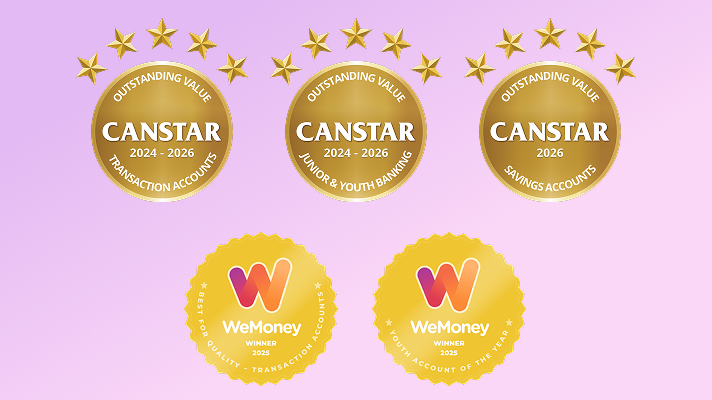
+Our Choice transaction and eSaver accounts have won multiple awards in the last three years, including Canstar's Outstanding Value award and WeMoney’s Best Quality award.

Stay one step ahead of security threats
The Security Hub helps you keep up with the latest threats and make the most of Westpac’s security features. Learn how we protect your banking, spot scams sooner, and use features like SafeBlock, SafeCall and quick ways to check and improve your security.
Account fees
| Standard fees (fees may change) | Amount |
|---|---|
| $0 Account-Keeping Fee (usually $5 per month) The monthly fee is waived if you:
|
$0 |
| Standard fees (fees may change) | Amount |
|---|---|
| Online Banking withdrawal (including Mobile Banking) | $0 |
| Telephone Banking withdrawal (self service) | $0 |
| Telephone Banking withdrawal (staff assisted) | $0 |
| Branch staff assisted withdrawal | $0 |
| Direct Debit | $0 |
| Point of Sale (POS) transactions | $0 |
| ATM cash withdrawals in Australia (ATM providers may charge a fee – watch out for that!) | $0 |
| Overdrawn Fee (for more information: Overdraw Preference Feature) | $15 |
| Unarranged Lending Rate (ULR) is a debit interest rate charged to a transaction account if it becomes overdrawn without arrangement | 15.01% p.a. |
| Overseas Withdrawal Fee from a Global Alliance Partner ATM (for more information on Global Alliance Partners: Accessing your accounts overseas) | $0 |
| Overseas Withdrawal Fee from a non-Global Alliance Partner ATM | $5 |
| Transactions made in foreign currency, and the merchant or financial institution is located outside Australia | 3% of the AUD transaction amount |
| Transactions made in foreign currency, and the merchant or financial institution is located in Australia | 2.2% of the AUD transaction amount |
Other fees and charges may apply. Please refer to the Terms and Conditions (PDF 749KB)
This account doesn't earn interest. If you'd like to earn interest, you can open a savings account at the same time. Find out how
Frequently asked questions
You can update most details - including your mobile number, email and residential or mailing address - yourself in the Westpac App or Westpac Online Banking under Profile/Settings. This is one of the most important things to do soon after you arrive: update your mobile number first so you keep receiving your one-time security codes, and keep your mailing address current so your debit card and any letters reach you. Changes to your legal name, title or gender require supporting documents (for example a change-of-name certificate or updated ID); you can provide these through 'Chat with us' in the Westpac App or at a Westpac branch.
You can view and download your account statements anytime in the Westpac App or Westpac Online Banking under your account's 'Statements' menu, and switch between paper and paperless (eStatements) in your communication preferences. For formal documents that new arrivals often need - such as a proof-of-balance letter, a SWIFT/BIC code for international transfers, or a source-of-funds letter (commonly required for visa, migration, rental or insurance purposes) - request one through 'Chat with us' in the Westpac App or at any Westpac branch. Let us know what the document is for so we can issue it in the correct format.
Error messages when you try to open an account or sign in to the Westpac App or Westpac Online Banking are usually caused by a temporary issue. First, check the Westpac Service Status page for any current outages. Then make sure you have the latest version of the Westpac App and a stable internet connection, and try closing and reopening the App or signing in again on a different device or browser. If you're a new customer and the error appears during sign-up or when opening your first account (for example an eSaver), note any on-screen Conversation/Reference ID and reach out through Contact us > Chat with us in the Westpac App or use the “message us” chat or call us on the helplines on our website so we can investigate your specific session and get you set up.
When you open your first account in Australia, we need to verify your identity before you can use it fully, and we may temporarily block or suspend a new card or account when our systems detect activity that needs checking - this is to protect your money. To verify your identity or restore access: 1) Contact us > Chat with us in the Westpac App, call ususe the “message us” chat or call us on the helplines on our website, or visit a Westpac branch with your ID; we'll confirm a few details and explain what's needed. 2) Once we've confirmed your identity and reviewed the account, we can usually lift the block. 3) If it relates to a fraud or scam check, some restrictions may remain while we protect your account - we'll explain why and what happens next. If you're newly arrived, your visa is time-limited, or you need access urgently, tell us your situation so we can prioritise verifying you and discuss your options.
After you open an everyday account, your Westpac debit card is posted to your registered mailing address and typically arrives within 5-10 business days (a little longer if you've just arrived and your address is new). To stay covered while you wait: add your new card to your digital wallet (Apple Pay / Google Pay) via the Westpac App as soon as the account is open, so you can pay before the physical card arrives; check your mailing address is correct and complete under Profile/Settings, as an incomplete or old address is the most common cause of non-delivery. If your card hasn't arrived after 10 business days, Contact us > Chat with us in the Westpac App - we can confirm where it was sent, cancel the old card and reorder it, and arrange delivery to a Westpac branch for pickup if that's easier. More info on Digital Wallets and ways to pay: Ways to pay
Once your Australian mobile number is active and saved to your profile, you can create a PayID in the Westpac App or Westpac Online Banking by linking that number (or your email) to an eligible everyday or savings account - this lets people pay you using just your mobile or email instead of your BSB and account number. Make sure your mobile number is fully updated as your primary number in Profile/Settings first, because a PayID can only be created with a number that is registered and verified to you.
If you've recently arrived and an old overseas number still appears at the PayID step, update your contact details first and try again. If the old number still shows, contact us via 'Chat with us' in the Westpac App so we can correct the number held against your PayID and complete the registration for you.
A 'pending' transaction means a payment has been authorised but the merchant hasn't finalised it yet, so the amount is temporarily set aside and shows as unavailable in your balance - this is normal and usually clears within a few business days. Some merchants (hotels, car rental, fuel, ride-share) place a pre-authorisation hold that can be higher than the final amount and can take up to 5-7 business days to release; only the merchant can release a pending hold, so contact them first if needed. Separately, a card can be declined even when you have money for reasons such as: a daily payment or withdrawal limit being reached, a security/fraud flag, a card that's locked or not yet activated, funds tied up by a pending hold, or a restricted merchant type (some overseas remittance, crypto or gambling merchants are blocked by default). To get back on track, check your card is activated and not locked in the Westpac App, confirm your available balance, and review your limits under Settings. If you're new to Australia and sending money overseas or using a remittance app, let us know so we can review any blocks with you. If a hold hasn't cleared or a payment keeps declining, note any error message and contact us via 'Chat with us' in the Westpac App (Contact us > Chat with us).
An Overdraw fee of $15 is charged when a transaction takes your account into a negative balance and your balance isn't back to positive by 6pm (Sydney time) on the same day. The fee is charged at most once per day – but if your account is overdrawn on another day, a fee may apply again for that day.
Payments that can overdraw your account
Some payments – like direct debits, BPAY®, scheduled transfers or cheques – may still go through even if there isn't enough money in your account. This can happen even if you've turned off your Overdraw Preference, as some payment types may still be processed.
If a payment is declined instead, you'll need to arrange payment directly with the merchant.
Managing your Overdraw Preference
You can set your Overdraw Preference in Online Banking to allow or decline payments when funds are low. This helps guide whether payments go through, but some payment types may still be processed in certain situations.
For more information: Overdraw Preferences and Dishonour Payments
Tips to avoid going into a negative balance
- Check your available balance regularly, including pending transactions.
- Plan ahead for upcoming payments like Direct Debits or subscriptions.
- Adjust or pause payments if timing is tight.
- Keep a small buffer to cover unexpected or higher-than-usual charges.
If you've been charged a fee you didn't expect, especially for the first time or if you topped up straight away. Select; Contact us > Chat with us in the Westpac App or visit a branch. We'll explain why it was applied, consider a refund where appropriate, and help you switch to a lower or no-fee account if one suits you better.
More information to help you settle in

Can I send and receive international payments with Westpac?
Yes, we make it easy to send foreign currency overseas from your Australian bank using Online Banking Westpac App. Plus you'll pay no Westpac transfer fees (other fees may apply)..

New innings: Westpac and Cricket Australia announce partnership
Through the new partnership, Westpac and Cricket Australia will join forces to support the growth of the much-loved game.
Things you should know
Westpac Debit Mastercard® Terms and Conditions (PDF 338KB)
Online Banking Terms and Conditions (PDF 899KB)
Find out what information you need to provide to become a customer (PDF 657KB)
Westpac Ashes Cricket Campaign T&Cs (PDF 2MB)
Before making a decision about any of our products or services, please read all the terms and conditions and consider whether the product or service is right for you. Fees and charges apply and may change.
1. No ATM withdrawal fee at Westpac Group or select Westpac Group partner ATMs in Australia and Global ATM Alliance partners. Other fees and charges may be payable. A 3% Westpac Foreign Transaction Fee applies to overseas debit or credit card withdrawals. A 3.5% cash advance fee applies to credit card withdrawals where the "Credit" option is selected. Some Global ATM Alliance ATMs require you to select the "credit" option. A list of Global ATM Alliance members is available.
*This claim is based on The Forrester Digital Experience Review™ of 4 Australian mobile banking apps in Q3 2025. Future findings are subject to change. Forrester does not endorse any company or brand, nor their products or services, nor advise anyone to select them based on this review. If you want to learn more, go to the Forrester website.
+ Our Choice transaction and eSaver accounts have won multiple awards in the last three years, including Canstar's Outstanding Value award and WeMoney’s Best Quality award.
# Optus:
Westpac isn’t responsible for what Optus claims about its services or products. Where the law allows, Westpac isn’t responsible for any loss as a result of you taking up an Optus offer. Westpac and Optus don’t pay each other commission for these offers.
Optus T&Cs
New eSIM services via optus.com.au/westpacoffer only. Offer available until withdrawn. Activate by 07/04/27. Ongoing recharges revert to $44 (or as otherwise notified). All for use in Australia (you must also be in Australia to activate). Receive 110GB on activation and next 2 recharges then 35GB. Bonus international calls will be used up before standard recharge international call inclusions. Device must be compatible with eSIM and the Optus Network. For full offer details, call destinations and T&Cs, please refer to optus.com.au/westpacoffer.
This promotion runs from 1 June 2026 to 31 May 2028.
Eligibility criteria:
- To be eligible for the One Click Switch Promotion, you must meet all of the following criteria, you must:
- Be an active Westpac customer, holding either:
- a Westpac Transaction Account, or
- a Westpac Credit Card
- Be 18 years or older
- Be the primary account holder for a residential electricity account
- Have been with your current electricity provider at the same supply address for at least 12 months + 1 day prior to comparison
- Have an estimated annual electricity bill of less than $5,000 AUD
- Have no registered life support equipment at the supply address
- Be located in NSW, VIC, SA, ACT, TAS, or South East QLD
- Successfully connect your electricity usage data via Consumer Data Right (CDR)
- Access One Click Switch through the Westpac designated partner link or portal
Business accounts are not eligible. Bill uploads, manual data entry or quick estimates are not eligible for this offer.
Offer details
One Click Switch offer a minimum 10% saving on your estimated annual electricity costs when you compare and switch
Savings are calculated using your actual electricity usage data from the past 12 months, accessed via CDR
Savings are based on a comparison between:
your current electricity plan, and
the cheapest eligible plan available on the One Click Switch platform at the time of comparison
If the saving identified is less than 10%, a digital gift card will be issued to cover the difference, up to a maximum value of $500 AUD
If you choose to switch to a plan that is not the cheapest available plan, the saving (or payment) will still be calculated against the cheapest eligible plan
Things you should know
Savings are calculated at the time of comparison and are not affected by future price changes from your current or new provider
Temporary credits, rebates, concessions or one‑off bill adjustments are excluded from savings calculations
You must not cancel your switch, move premises, or change plans within 75 days of your electricity switch being completed
The switch must be successfully completed and accepted by the new provider (including ID and credit checks)
Any eligible gift card will be issued within 75 days of your switch submission being reconciled
Gift cards are issued via Prezzee and are not redeemable for cash
If CDR data is unavailable, incomplete, or prevents an accurate calculation (including certain tariffs or data errors), the offer will not apply
Only one claim per household or supply address per calendar year applies
This service is free to use; standard electricity plan charges and any applicable Westpac account fees may apply
One Click Switch may verify eligibility and reserves the right to refuse payment where misuse or data manipulation is suspected.
Westpac and One Click Switch may change or withdraw this offer at any time.Eligible switches already submitted before withdrawal will be honoured in accordance with these terms.
*This claim is based on The Forrester Digital Experience Review™ of 4 Australian mobile banking apps in Q3 2025. Future findings are subject to change. Forrester does not endorse any company or brand, nor their products or services, nor advise anyone to select them based on this review. If you want to learn more, go to the Forrester website.
Protected by the Financial Claims Scheme (FCS): If you have a Westpac deposit account, in certain circumstances you may be entitled to a payment under the FCS. Payments under the FCS are limited for each customer. You can find out more information from the APRA website at www.fcs.gov.au.
Read the Apple Pay Terms and Conditions (PDF 160KB) before making a decision and consider if it is right for you. To use Apple Pay you will need an eligible card and a compatible device with a supported operating system. See our Apple Pay FAQs for more information. Apple, the Apple logo, Apple Pay, Apple Watch and iPhone are trademarks of Apple Inc., registered in the U.S. and other countries. App Store is a service mark of Apple Inc.
Android, Google Play and the Google Play logo are trademarks of Google LLC.
PayID® is a registered trademark of NPP Australia Limited and any use of its marks by Westpac is under license.
This website uses cookies to enhance your browsing experience, analyse site traffic, and offer personalised content and advertisements as described in our Privacy Statement.
Westpac's retail deposit taking banking operations do not extend to other countries except where licenced to do so. This information is intended for individuals planning to migrate to Australia and Westpac is not soliciting retail deposits under foreign schemes. Deposits will be taken after you move to Australia and under the supervision of Australian regulators, not those of your current country of residence.