
SafeBlock
Lock your accounts and cards in the app with a tap.
What is SafeBlock?

SafeBlock is a security feature you can use if you suspect fraud or think you've shared details with a scammer. You can instantly lock your cards and accounts to stop transactions.
SafeBlock is a Canstar Innovation Excellence Award 2026 winner, recognised for its innovative approach to helping protect customers from fraud and scams.
Instant protection
Stop new online payments and transfers, ATM withdrawals, and most card transactions fast to prevent further loss.
You're in control
Instantly lock your accounts and cards, giving you time to investigate and check transactions.
Keep life moving
Your scheduled payments and incoming funds continue uninterrupted.
Only activate SafeBlock if you believe your account has been compromised. Avoid using it for testing, as unlocking your account can take time.
How it works
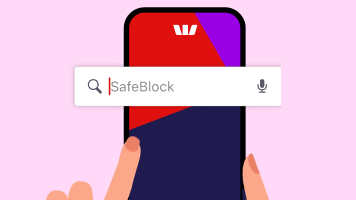
1. Turn on SafeBlock
Search SafeBlock in the App or Online Banking and follow the prompts - it only takes a few taps to activate.
2. Report a transaction
You can find out how to do this on our How to report page. Our team will review your report and reach out to you if needed.
3. Unlock your banking
Once you're ready, sign in to unlock your accounts and cards. Unlocking your account can take time and you may be asked to provide 2 forms of ID. Learn more in the FAQs.
What SafeBlock will and won’t do#
What SafeBlock will block
- New Online Banking payments and transfers
- All new card purchases and ATM withdrawals by all cardholders
- Most recurring payment set up using your card details
What SafeBlock will NOT block
- Previously scheduled payments set up with your account number (not card number)
- Deposits into your accounts
- Pending payments
- Handycards
For joint accounts, SafeBlock pauses your debit card only — your joint account holder’s debit card won’t be affected.
For joint credit card accounts, SafeBlock pauses all cards on the account, including the additional cardholders.
Once you're confident that your accounts are secure, you can sign in to the App or Online Banking and unlock your accounts. This will restore normal access and functionality.
You may need to verify your identity using:
- Two forms of ID (e.g. passport, driver’s licence, Medicare card, birth certificate)
- Or one form of photo ID with a selfie.
No, previously scheduled payments set up via the App or Online Banking will continue without interruptions, even when SafeBlock is activated.
Subscriptions set up with your card details will be impacted.
SafeBlock doesn’t cancel subscriptions. Once your is cards unlocked, payments for subscriptions will continue. SafeBlock will not impact subscriptions using a BSB and Account number.
SafeBlock is available to all Westpac users on the App or Online Banking with a personal profile. To use SafeBlock, you'll need to have an active security device.
In the Westpac App, Safeblock is only available for app version 11.8.0 or onwards.
If your digital wallet card isn’t working after you’ve removed SafeBlock, first check that your card is not locked in your Cards Hub via the App. If it is unlocked and the card still isn’t working, simply remove the card from your digital wallet and then add it back again. This will restore access to your card.
Help when you need it

Explore security features
Learn how each works so you can act quickly and confidently if something doesn't feel right.
Things you should know
#SafeBlock will block:
Access to some Online Banking services including new Online Banking payments and transfers, new card purchases and withdrawals (except by Handycards and including by other cardholders), Daily Payment Limit increase, home loan redraws, mortgage top-ups, term deposit management, account management, SmartPlan, Flexi Loan repayment arrangements, access to Altitude Rewards, most recurring payments set up using your card details, access to your other profiles (but other users in your network won't be affected).
SafeBlock won’t block:
Handycard transactions, direct debits and scheduled payments already set up via your accounts, pending payments, incoming payments, branch transactions, telephone banking, chat services, access to your investment products (e.g. BT Panorama and Westpac Share Trading), new Open Banking data sharing consents (Existing Open Banking consents will continue to share data. You can review and manage your consents in the data sharing dashboard in Online Banking), Bank Feed, Qantas rewards outside of Online Banking, ConnectID, Daily Payment Limit decrease, communications from us, status views, other service requests, transactions authorised by a third party (including joint account holders and other users in your network).
During temporary outages or scheduled maintenance you may not be able to turn SafeBlock on or off.
How do I unlock SafeBlock?
When you’re ready to unlock, search for SafeBlock and follow the steps. For security purposes, you may be asked to verify your identity. If you have any issues unlocking online, call us or visit a branch.
Need help with SafeBlock?
Go to SafeBlock FAQs for more details and answers to common questions, chat with us or call us.
Read the Westpac Online Banking Terms and Conditions (PDF 713KB) at westpac.com.au before making a decision and consider whether the product is right for you.
If your Westpac account is compromised as a result of online fraud, we guarantee to repay any missing funds, providing you comply with our Westpac Online Banking Terms and Conditions. This includes keeping your sign-in details (including passwords, Westpac Protect™ SMS codes and SecurID® Token codes) private. You must inform us immediately if you suspect the security of your access details has been compromised, or you suspect an unauthorised transaction or potential fraud on your accounts. Please refer to the Westpac Online Banking Terms and Conditions (PDF 713KB).