
Start your new life in Australia with confidence
Open an award-winning+ Australian bank account and get set up with less stress and more support.
Open two accounts, Double your benefits
You could earn
$50
Cashback with a new account
You could get $50 ‘Double U’ cashback when you open a new Westpac Choice everyday account and an eligible Westpac Life savings account, between 9 June and 30 September 2026. Here’s how:
- Spend at least $50 on your debit card within 15 days of opening on eligible purchases.
- You must not have held any Westpac transaction account or savings account in the last 2 years.
- Accounts must be in your name only (no joint accounts).
See all FAQs.
18-40 years old?
5.75% P.A.
Total variable interest rate
On your first $150,000 of savings with a Westpac Life Savings and Westpac Choice bank account. Total variable interest rate is a combination of:
- 0.10% p.a. Standard variable base rate (when no standard variable bonus rate applies).
- 4.90% p.a. Standard variable bonus rate.
- 0.75% p.a. (on up to $150,000) Spend&Save variable bonus rate.
- Account balance must not fall below $0 at any time
- Make at least one deposit. Interest paid into the account doesn’t count
- Have a higher balance at the end of the month than at the start.
| Interest is calculated daily on your account balance up to the second last business day of the month. Interest is paid into the account on the last business day of the month. |
A month is from the end of the last business day of the previous month to the end of the last business day of the current month. A business day is any weekday, but not weekends or national public holidays.
This means what matters most is your balance and deposits settle by 11:59pm on the last business day of the month.
- Interest is worked out daily based on your account balance up to the second last business day of the month
- Bonus interest is paid into your account on the last business day of the month.
We check your balance and deposits at 11:59pm on the last business day of the month. This means that any deposits into the account must have settled by this time.
- Be aged 18-40 with a Westpac Life and Westpac Choice account in your name (Joint accounts are not eligible and only one Spend&Save offer applies per customer).
- If you have multiple Westpac Life accounts, only the earliest opened account is eligible for bonus interest.
- Make 20 eligible purchases with the Debit Mastercard® linked to your Westpac Choice account. Purchases must be settled (not pending) by 11:59pm on the second last business day within a month. Offer may be varied or withdrawn at any time.
Eligible transactions
- In-store purchases: where you use your physical card or pay with PayPassTM, Apple Pay, Samsung PayTM, Google PayTM, Garmin Pay and Fitbit Pay.
- Online purchases: where your debit card details are stored with an online retailer/service or when you input your debit card details.
Ineligible transactions
- ATM transactions
- PayID®
- BPAY®
- EFTPOS cash-out only transactions
- Direct debits
- Paying off a credit card account.
If you’ve met all the bonus rate requirements for a Westpac Life account, the Spend&Save variable bonus rate will apply to the first $150,000 in your account. The Standard variable base rate and Standard variable bonus rate will apply to the entire balance.
E.g., on a $200,000, account balance. The total variable interest rate will be:
- 5.75% p.a. on $150,000
- 5.00% p.a. on $50,000.
This promotion runs from 9 June 2026 to 30 September 2026.
To be eligible you must:
- 18+ and have not held any transaction account or savings accounts with Westpac in the last 2 years from the date the last transaction or savings account closure.
- Open a new Westpac Choice account AND, either a Westpac Life OR Westpac eSaver. Accounts must be in the same name, activated and ready to use.
- Make eligible purchases totalling at least $50 using the debit card linked to your Westpac Choice account within 15 calendar days of the first account being opened. Transaction(s) must be processed (not pending) by the end of the 15th day.
- Transaction(s) must be customer-initiated and does not include interest payments, direct debits or internal transfers between your Westpac accounts.
- Keep the account open for a minimum of 60 days after you meet all other eligibility criteria.
- Hold the accounts in one name only. These accounts cannot be joint accounts.
If you meet the above:
- You're eligible for a one-time $50 payment.
- The $50 payment will be made to your Westpac Life or Westpac eSaver account within 60 days of you meeting all Terms and Conditions and eligibility criteria.
- If you open more than one Westpac Life or Westpac eSaver account, the $50 payment will only be made once into the first savings account opened and activated.
- This promotion may be varied or withdrawn at any time. It is not available in conjunction with any other offer unless otherwise stated.Why choose Westpac?
Australia’s first bank
For over 200 years, we’ve helped customers manage their money and achieve their goals.
#1 Banking App
Make payments, transfer money, and access budgeting tools in Australia’s best Banking App.*
3,000+ ATMs
Pay no ATM withdrawal fee at Global Alliance ATMs across Australia and around the world.
Multi-lingual support
Access support in a range of languages to make managing your money in Australia easier.
How can I prepare for my move to Australia?
Get the essentials ready for when you arrive
- Open an Australian bank account with Westpac no more than 14 days before arrival.
- Note down your Australian address, even if it's temporary e.g. a hotel or relative's.
- Set a budget for your first weeks, including cash for immediate needs.
- Organise travel insurance and overseas health cover.
- Prepare key documents like your passport, visa, and a proof of address.
- Familiarise yourself with phone numbers for Australian Emergency Services.
Set yourself up for daily life in Australia
- If you've decided to get an Australian account, open one with Westpac.
- Verify your identity online or visit a Westpac branch to activate your account.
- Set up Westpac Online Banking with two-factor authentication.
- Download the Westpac App for easier money management.
- For your mobile set up check out our Optus eSIM card* offer for Westpac customers.
- Get a transport card like Opal (Sydney/NSW), Myki (Melbourne/VIC), or Go Card (Brisbane/QLD).
- Moving into your own place? Explore our BeMoved^offer to help set up and save on utilities.
- Check out Westpac Rewards to see if you could save on everyday costs.
- Remember to update your mobile number, email and address in the Westpac App or Westpac Online Banking under Profile/Settings.
Focus on settling in and planning ahead
- Apply for your Tax File Number (TFN).
- Understand and set up superannuation with your employer.
- Register for Medicare, if you're eligible.
- Set up automatic payments in your Westpac bank account for regular bills.
- Get support with settling into Australia.
- Save on living costs with exclusive Westpac Rewards.
How do I open a bank account in Australia?
I'm arriving in the next 14 days

I'm in Australia now

What offers does Westpac Bank have?
-

Up to 5.35% P.A. interest
eSaver account intro offerOur Westpac eSaver account helps savings work harder, with a special introductory rate for people moving to Australia.
Features:
- Tick - Introductory bonus interest rate for the first 5 months.
- Tick - Digital-only account for 18+ year olds that must be linked to a Choice transaction account.
- Tick - No minimum deposits or monthly balance requirements.
- Tick - No Westpac fees for account-keeping or receiving money from overseas.
-

GET YOUR MOBILE SORTED
Exclusive offer for Westpac customersNot a Westpac customer yet? Open a Choice everyday account first, then get a $39 Prepaid eSIM: just $13 for the first 28 days.
Features:
- Tick - Get up to 400 minutes of standard international calls to 36 select countries.
- Tick - Get 45GB on your first three recharges, then 25GB after.
- Tick - This offer may be varied or withdrawn at any time.
- Tick - Plus, enjoy 300 minutes of bonus standard international calls to select countries.
T&Cs apply#
-
Save 10% on home utilities
Lived here more than a year? You could save 10% on electricity with One Click SwitchCompare and switch your electricity plan through One Click Switch between 18 June 2026 and 31 May 2028.
Features:
- Tick - Savings are calculated using your existing electricity usage from the past 12 months via Consumer Data Right (CDR).
- Tick - If your saving is less than 10%, we'll pay you the difference as a digital gift card, up to $500.
- Tick - Available to customers aged 18 years or over who already hold a Westpac debit or credit card.
T&Cs apply^
-

It pays to shop via shopback in the westpac app
You could earn bonus Cashback when you shop online. Explore popular offers via the Westpac App or visit the Westpac Lounge on ShopBack
Features:
- Tick - Search ShopBack in the Westpac App and you’ll find simple instructions to sign up. Once you’re set up, you can browse and redeem offers.
- Tick - Search for popular ShopBack offers in the Westpac App or visit the ShopBack app to view even more. You could access over 4,000 well-known brands
- Tick - Link your eligible Westpac debit or credit card to your ShopBack account before you shop. This unlocks bonus Cashback deals just for Westpac customers.
-

Save on sending currency
Pay no Westpac fees when sending money in a foreign currency from your Westpac Choice transaction account using Online Banking or the App.
Features:
- Tick - 200+ countries available.
- Tick - Exchange rate calculator for easier currency conversion.
- Tick - Option to fix an FX rate up to one month in advance.
Other fees may apply, including a $20 fee if sending in AUD.
Bank with confidence
Award-winning quality and value
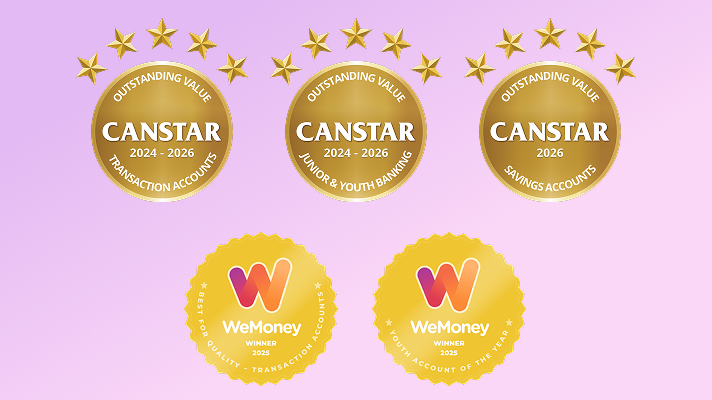
+Our Choice transaction and eSaver accounts have won multiple awards in the last three years, including Canstar's Outstanding Value award and WeMoney’s Best Quality award.

Stay one step ahead of security threats
The Security Hub helps you keep up with the latest threats and make the most of Westpac’s security features. Learn how we protect your banking, spot scams sooner, and use features like SafeBlock, SafeCall and quick ways to check and improve your security.
Frequently asked questions
There are different types of bank accounts you can open, depending on what you need. The two main types of bank accounts in Australia are transaction (or everyday) accounts and savings accounts. You can open one (or both) before you arrive in Australia.
A transaction account gives you access to your money. If you’re working while you’re here, it will likely be the account your employer will pay your wages into. You will use this account often, so you should have easy access to your money.
A savings account is designed to help you save money. One feature to look for in a savings account is the interest rate. This is a percentage a bank pays you as a reward for keeping your money with them. You can still access your money but, unlike transaction accounts, some savings accounts might give you bonus interest if you don’t make withdrawals.
If you’re already in Australia and have a bank account, you could switch your banking to Westpac. You can open a Westpac account, transfer your money, and close your old account. Westpac can also help you move any regular payments over.
Before changing banks, it’s important to look at a bank’s fees, products, and mobile app.
A Tax File Number (TFN) is Australia's version of a Tax Identification Number (TIN) - the number used to identify you for tax purposes. If you're from another country, your TIN may be known by a different name (such as PAN in India, Citizen ID / Tax Number in China, IRD number in New Zealand, NINO in the UK, SSN in the United States or Tax reference Number (TRN) in Malaysia).
A Tax File number (TFN) is a number issued by the Australian Taxation Office (ATO). This is a personal 9-digit number that identifies you in the Australian tax system. It is free to apply for a TFN, and you can apply online once you arrive in Australia.
While it’s not compulsory to provide your TFN or TFN exemption, if you don’t, we may be required by law to deduct Withholding Tax at the highest marginal rate plus Medicare Levy on any interest earned on your accounts.
Learn more about getting a Tax File Number on the Australian Taxation Office website
Make sure you’re registered for Westpac Online Banking. If not, register here.
iPhone
- Go to the App Store
- Search Westpac
- Tap Get and follow the prompts
Android
- Go to the Google Play Store
- Search Westpac
- Tap Install and follow the prompts
To start banking, open the Westpac App, enter your Customer ID and Online Banking password.
Having trouble downloading the Westpac App? Check our list of supported devices to see if it’s available for your device.
Yes, you can use your Digital Card details to access the funds in your new transaction account or to make purchases with your new credit or debit card.
Your Westpac Digital credit or debit card is a complete digital version of your physical card. You can securely view your full card details (card number, expiry date and dynamic CVC*) within the Westpac App without needing to add your digital card to your Digital Wallet. We call this digital view of your card details your “digital card”.
New consumer credit or debit cards: While you are waiting for your new card to arrive by post, you can use the Westpac App to access your new card details and add them to your Digital Wallet. This means you can start using it immediately, even before your physical card arrives.
You can use your digital credit or debit card just like your physical card to shop online, pay bills, make in-app purchases or set up your recurring card payments. However, if you wish to use your digital card to shop in-store using your phone or smartwatch, you will need to add it to your Digital Wallet first. You can use your digital card details (viewable in the Westpac App) to add your digital card to your Digital Wallet.
How to find your Digital Card
In the Westpac App
Make sure you have the latest version of the app.
- Search Digital card in the Smart Search bar
- Select the Digital card you’d like to view
- If your Digital card details do not display automatically, select Show all
- If this is your first time accessing your Digital card details and your card is not yet activated, select Activate digital card.
Learn more about mobile wallets here - Westpac Digital Card - Add it to Your Digital Wallet or Wearable
Digital Wallets, also known as electronic wallets, or mobile wallets are apps that enable you to add a digital version of your eligible credit or debit card to your eligible device (such as a mobile phone or smart watch). Once your card has been added, you can use your Digital Wallet to make credit or debit card transactions without your physical credit or debit card.
Westpac customers can use a variety of Digital Wallets on eligible devices.
- Apple Pay is available on eligible iPhones, Apple Watches, iPads and Macs.
- Google Pay, Samsung Pay and Garmin Pay are available on eligible phones or smartwatches.
More information to help you settle in

Can I send and receive international payments with Westpac?
Yes, we make it easy to send foreign currency overseas from your Australian bank using Online Banking Westpac App. Plus you'll pay no Westpac transfer fees (other fees may apply)..

New innings: Westpac and Cricket Australia announce partnership
Through the new partnership, Westpac and Cricket Australia will join forces to support the growth of the much-loved game.
Things you should know
Deposit Accounts for Personal & SMSF customers Terms and Conditions (PDF 749KB)
Westpac Debit Mastercard® Terms and Conditions (PDF 396KB)
Online Banking Terms and Conditions (PDF 748KB)
Before making a decision about any of our products or services, please read all the terms and conditions and consider whether the product or service is right for you. Fees and charges apply and may change.
*This claim is based on The Forrester Digital Experience Review™ of 4 Australian mobile banking apps in Q3 2025. Future findings are subject to change. Forrester does not endorse any company or brand, nor their products or services, nor advise anyone to select them based on this review. If you want to learn more, go to the Forrester website.
+Our Choice transaction and eSaver accounts have won multiple awards in the last three years, including Canstar's Outstanding Value award and WeMoney’s Best Quality award.
# Optus:
Westpac isn’t responsible for what Optus claims about its services or products. Where the law allows, Westpac isn’t responsible for any loss as a result of you taking up an Optus offer. Westpac and Optus don’t pay each other commission for these offers.
Optus T&Cs
New eSIM services via optus.com.au/westpacoffer only. All for use in Australia (you must also be in Australia to activate). Receive 45GB on first 3 recharges, then 25GB. Bonus international calls will be used up before standard recharge international call inclusions. Device must be compatible with eSIM and the Optus Network. For full offer details, call destinations and T&Cs, please refer to optus.com.au/westpacoffer.
This promotion runs from 1 June 2026 to 31 May 2028.
Eligibility criteria:
- To be eligible for the BeMoved Promotion, you must meet all of the following criteria, you must:
- Be an active Westpac customer, holding either:
- a Westpac Transaction Account, or
- a Westpac Credit Card
- Be 18 years or older
- Be the primary account holder for a residential electricity account
- Have been with your current electricity provider at the same supply address for at least 12 months + 1 day prior to comparison
- Have an estimated annual electricity bill of less than $5,000 AUD
- Have no registered life support equipment at the supply address
- Be located in NSW, VIC, SA, ACT, TAS, or South East QLD
- Successfully connect your electricity usage data via Consumer Data Right (CDR)
- Access One Click Switch through the Westpac designated partner link or portal
Business accounts are not eligible. Bill uploads, manual data entry or quick estimates are not eligible for this offer.
Offer details
One Click Switch offer a minimum 10% saving on your estimated annual electricity costs when you compare and switch
Savings are calculated using your actual electricity usage data from the past 12 months, accessed via CDR
Savings are based on a comparison between:
your current electricity plan, and
the cheapest eligible plan available on the One Click Switch platform at the time of comparison
If the saving identified is less than 10%, a digital gift card will be issued to cover the difference, up to a maximum value of $500 AUD
If you choose to switch to a plan that is not the cheapest available plan, the saving (or payment) will still be calculated against the cheapest eligible plan
Things you should know
Savings are calculated at the time of comparison and are not affected by future price changes from your current or new provider
Temporary credits, rebates, concessions or one‑off bill adjustments are excluded from savings calculations
You must not cancel your switch, move premises, or change plans within 75 days of your electricity switch being completed
The switch must be successfully completed and accepted by the new provider (including ID and credit checks)
Any eligible gift card will be issued within 75 days of your switch submission being reconciled
Gift cards are issued via Prezzee and are not redeemable for cash
If CDR data is unavailable, incomplete, or prevents an accurate calculation (including certain tariffs or data errors), the offer will not apply
Only one claim per household or supply address per calendar year applies
This service is free to use; standard electricity plan charges and any applicable Westpac account fees may apply
One Click Switch may verify eligibility and reserves the right to refuse payment where misuse or data manipulation is suspected.
Westpac and One Click Switch may change or withdraw this offer at any time.Eligible switches already submitted before withdrawal will be honoured in accordance with these terms.
1st and largest banking network: As at 30 June 2025, based on number of Westpac Group branches & ATMs, and atmx & Precinct ATMs that funds from Westpac Australia accounts can be accessed.
Protected by the Financial Claims Scheme (FCS): If you have a Westpac deposit account, in certain circumstances you may be entitled to a payment under the FCS. Payments under the FCS are limited for each customer. You can find out more information from the APRA website at www.fcs.gov.au.
Westpac’s Online Banking Security: If your Westpac account is compromised due to Online fraud, we guarantee to repay any missing funds, provided you complied with our Online Banking Terms and Conditions. This includes keeping your sign-in details (including passwords, Westpac Protect™ Security codes) private, not participating in the unauthorised transaction, and immediately notifying us when you suspect an unauthorised transaction or potential fraud on your accounts.
Westpac Fraud Money Back Guarantee: Our Westpac Fraud Money Back Guarantee ensures that you will be reimbursed for any unauthorised card transactions provided that you have not contributed to the loss and contacted Westpac promptly. Refer to your card's conditions of use for full details, including when you will be liable.
Mastercard® is a registered trademark and the circles design is a trademark of Mastercard International Incorporated.
Read the Apple Pay Terms and Conditions (PDF 160KB) before making a decision and consider if it is right for you. To use Apple Pay you will need an eligible card and a compatible device with a supported operating system. See our Apple Pay FAQs for more information. Apple, the Apple logo, Apple Pay, Apple Watch and iPhone are trademarks of Apple Inc., registered in the U.S. and other countries. App Store is a service mark of Apple Inc.
Android, Google Play and the Google Play logo are trademarks of Google LLC.
This website uses cookies to enhance your browsing experience, analyse site traffic, and offer personalised content and advertisements as described in our Privacy Statement.
Westpac's retail deposit taking banking operations do not extend to other countries except where licenced to do so. This information is intended for individuals planning to migrate to Australia and Westpac is not soliciting retail deposits under foreign schemes. Deposits will be taken after you move to Australia and under the supervision of Australian regulators, not those of your current country of residence.