
From scam call to SafeCall
Answer with confidence using SafeCall. It takes a little Westpac to know your bank is calling.
What is SafeCall?
SafeCall is an Australian-first in-app calling feature designed to help you know when it’s really us calling. If we need to speak with you, some calls may come through the App. Optus will verify the call is coming from us, so you know it’s legitimate.
Extra protection
SafeCall is tech in our app that helps you spot a genuine Westpac call and which team is calling.
Certainty
Answer our calls with confidence knowing you're speaking with a Westpac team member.
Peace of mind
How it works
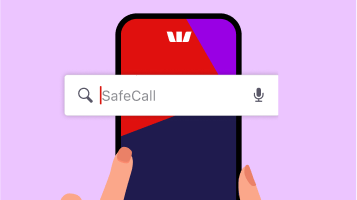
1. How to set up SafeCall
Search for SafeCall in the App. Follow the on-screen instructions and ensure your phone permissions are enabled.

2. Update your details
Ensure your device details and phone number are correct. We'll use those details to send you an SMS code.
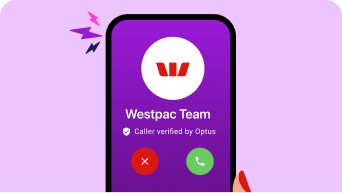
3. Answer a SafeCall
If the call comes through the app, just answer it like a normal call. Note: not all calls will be a SafeCall.
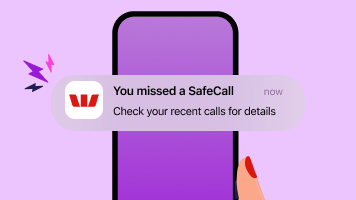
4. Missed a SafeCall?
If you missed a SafeCall, you’ll receive a notification. Tap to view the call details and call us back through the app.
Only Australian-registered mobile numbers are eligible to access SafeCall.
When will I get a SafeCall?
Access our security features
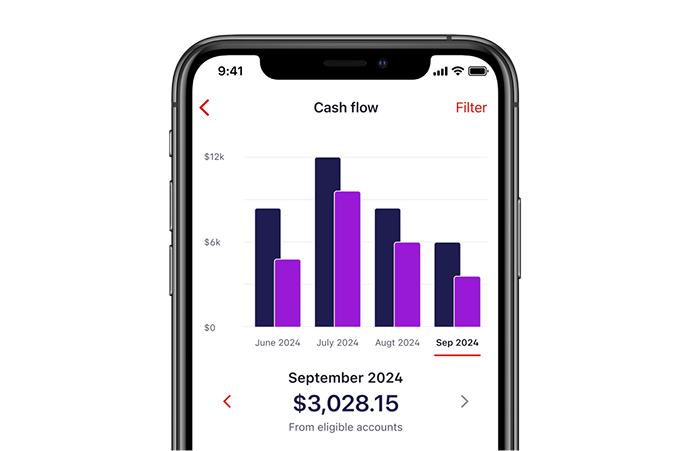
Layers of scams and fraud protection
Download the Westpac App
SafeCall is only available on app versions 11.8.0 and above.


Frequently asked questions
SafeCall is only available on app versions 11.8.0 and above. To check your version, sign in to the Westpac App and type 'app version'. You’ll be directed to a page where your current version will be displayed.
In the Westpac App, search for SafeCall.
- If you're registered for SafeCall, you’ll see a message saying 'You’ll get calls via the App'.
- If you're not registered for SafeCall, you’ll see an option to 'Get SafeCall' - to set it up, follow the steps.
If the option to register doesn’t appear, it might not be available to you just yet. We're rolling it out gradually and will let you know as soon as it's ready for you.
You’ll need an Australian-registered mobile number and the Westpac App version 11.8.0 and above installed.
If you update the mobile number linked to your SMS Codes, you’ll need to re-register for SafeCall.
SafeCall won’t be affected, as we contact you through the Westpac App - not your mobile number.
We’re progressively rolling out SafeCall to all our customers. We’ll let you know when it’s ready for you.
Help when you need it

Things you should know
*This claim is based on The Forrester Digital Experience Review™ of 4 Australian mobile banking apps in Q3 2025. Future findings are subject to change. Forrester does not endorse any company or brand, nor their products or services, nor advise anyone to select them based on this review. If you want to learn more, go to the Forrester website.
Read the Westpac Online Banking Terms and Conditions (PDF 633KB) at westpac.com.au before making a decision and consider whether the product is right for you.
iPhone, iPad, iPod touch and Apple Watch are trademarks of Apple Inc., registered in the U.S. and other countries. App Store is a Service mark of Apple Inc.
Android, Google Play and the Google Play logo are trademarks of Google LLC.