
Cancel subscriptions in the app
Find and cancel unwanted eligible subscriptions in the Westpac App to help you save money.
Find, cancel, save
Forgotten sign-ups, auto-renewals and unexpected price hikes. View your recurring payments, like streaming and music services, in the Westpac App and decide what you no longer need.
No need to contact the merchant. You can cancel eligible subscriptions linked to your Westpac debit or credit card in just a few taps.
How do I cancel a subscription in the Westpac App?
1. Go to your account
Select your debit or credit card account. Note, only the primary credit card holder can cancel a subscription in the App.
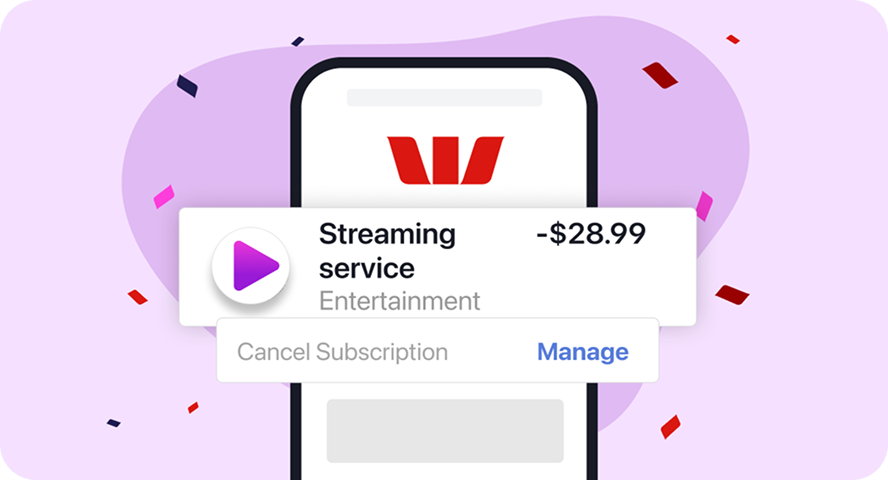
2. Find the transaction
If you see Cancel subscription, select Manage.
If a subscription isn’t available to cancel in the App, you'll need to contact the merchant directly.
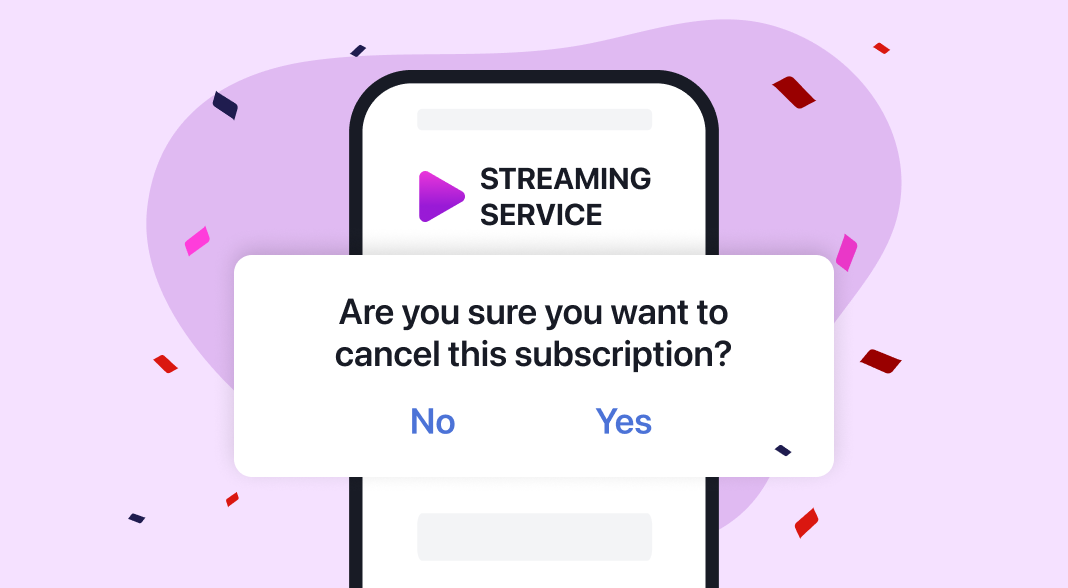
3. Request cancellation
Scroll down, follow the prompts and confirm you want to Cancel subscription.
What happens after I request a cancellation?
Notifications
You'll get a push notification (if enabled) and an App inbox message confirming your cancellation and the date the service will end. To enable push notifications search Notifications and marketing in the App and follow the prompts.
Timings
It usually takes 1-5 business days, depending on the merchant. If a payment is due before the cancellation is confirmed, you may still be charged. Cancelling is still subject to the merchant’s T&Cs.
Resubscribing
You can resubscribe directly with the merchant, but not via the Westpac App. Some merchants keep your preferences - such as your plan type or profile details - for a while, making it easier to resubscribe.
Where can I find my subscriptions in the App?

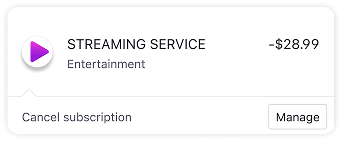
Scroll through your card account
- Go to your debit or credit card transaction list
- If available, you'll see Cancel subscription – select Manage
- Scroll down, follow the prompts and confirm you want to Cancel subscription.
- Check your filters. Your subscription price may have increased. Ensure Credits isn’t selected, as this means payments into your account.
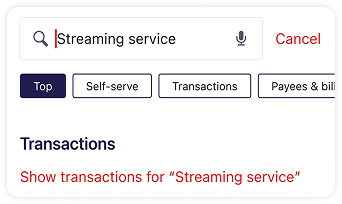
Search by merchant
- Type the merchant (e.g. Netflix) into the Search bar
- Select a transaction, then scroll down
- Follow the prompts and confirm you want to Cancel subscription.
- Check your filters. Your subscription price may have increased. Ensure Credits isn’t selected, as this means payments into your account.
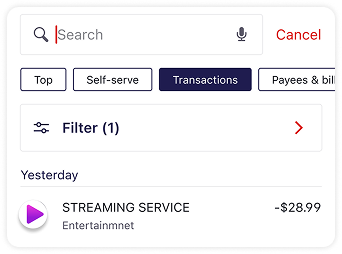
Search and filter your transactions
- In Search, select the Transactions tab, and add filters
- Select a transaction, then scroll down
- Follow the prompts and confirm you want to Cancel subscription.
- Check your filters. Your subscription price may have increased. Ensure Credits isn’t selected, as this means payments into your account.
Savings Finder
Our subscription finding technology takes you from forgotten subscriptions... to found savings.


Frequently asked questions
Once we send the request, it can’t be stopped. Reach out to the merchant if you want to continue your subscription.
- Are you the credit card secondary cardholder? Only the primary cardholder can cancel subscriptions in the Westpac App – even if subscriptions are in your name.
- We may guide you from the App directly to the merchant to complete the cancellation. We’re currently unable to cancel subscriptions with all merchants in the App, and eligible subscription types.
- We may not be able to cancel subscriptions in the App for key services, like insurance, health and government.
- The subscription may be billed through a third-party, like PayPal or Apple Pay, and you’ll need to cancel directly with them or the merchant.
We use a learning model to find recurring payments on your debit or credit card. It usually gets it right, but there may be times we identify:
- A regular payment that isn't a subscription
- A subscription you've already cancelled directly with the merchant. This may be due to the time lag.
If you haven't received a Westpac push notification (if enabled) and an App inbox message confirming your cancellation within 5 business days, please reach out to the merchant directly.
Cancelling is subject to the merchant’s T&Cs. If a payment’s due before cancellation's confirmed, you may still be charged.
Your request may be declined because:
- The merchant can’t match the details to an account
- The subscription’s in someone else's name
- The subscription has already expired
- The subscription’s under a fixed-term contract.
If your request was declined, you’ll receive a Westpac push notification (if enabled) and an App inbox message. Please contact the merchant directly to cancel your subscription.
Common reasons include:
- You may have more than one subscription with the same merchant, or you may have recently restarted one. Make sure all the subscriptions you no longer need are cancelled.
- Some subscriptions need you to pay until the end of a notice term. This means you may still be charged for the time between your cancellation and the end of that term.
- If you cancelled close to your next payment date, the payment may still have been processed. If so, the cancellation usually takes effect from the following billing cycle.
If you need to resolve an issue regarding your subscription, you’ll need to contact the merchant directly to resolve it.
Help when you need it

Best Banking App
As Australia's Best Banking App* three years running, the Westpac App puts you in control.

Things you should know
*This claim is based on The Forrester Digital Experience Review™ of 4 Australian mobile banking apps in Q3 2025. Future findings are subject to change. Forrester does not endorse any company or brand, nor their products or services, nor advise anyone to select them based on this review. If you want to learn more, go to the Forrester website.
Read the Westpac Online Banking Terms and Conditions (PDF 899KB) at westpac.com.au before making a decision and consider whether the product is right for you.
Westpac’s Online Banking Security Guarantee: If your Westpac account is compromised as a result of Internet fraud, we guarantee to repay any missing funds, providing you comply with our Online Banking Terms and Conditions. This includes keeping your sign-in details (including passwords, Westpac Protect™ SMS codes and SecurID® Token codes) private. You must inform us immediately if you suspect the security of your access details has been compromised, or you suspect an unauthorised transaction or potential fraud on your accounts.
iPhone, iPad, iPod touch and Apple Watch are trademarks of Apple Inc., registered in the U.S. and other countries. App Store is a Service mark of Apple Inc.
Android, Google Play and the Google Play logo are trademarks of Google LLC.