
Added Online Security
Stay one step ahead with enhanced card security when shopping online.
When you’re shopping with participating online retailers, eftpos Secure, Visa Secure and Mastercard Identity Check ™ services work with Westpac to authenticate your transaction using a 'One Time Password' to help ensure that it’s really you making the purchase. This additional layer of security is provided to you free of charge through Westpac’s Added Online Security service.

How it works
From time to time, we may need you to enter a unique, randomly generated ‘One Time Password’, which you’ll receive via SMS or email, when purchasing online with participating merchants.
Please make sure that you and any additional cardholders linked to your account provide the most up-to-date mobile number and/or email address.
Note: The 'One Time Password' is only valid to use for a single transaction.
Updating your contact details
To ensure we have your most recent mobile phone number and email address, simply update your details by any of the below methods:
- Signing into the Westpac App
- Signing into Westpac Online Banking1
- Contacting us by calling the number on the back of your card, or
- Visiting your nearest branch.
If you don't provide us with a correct mobile number or email address, you may not be able to proceed with your online transaction at participating retailers.
Travelling overseas?
If you’re travelling overseas and are unable to access your Australian mobile number but you have a temporary overseas mobile number, let us know by calling the number on the back of your card.
You may need to receive a ‘One Time Password’ via SMS in order to verify your online transaction. This SMS can be received using your temporary overseas mobile number.
Like more information?
- View the Terms and Conditions (PDF 42KB)
- View our Privacy Statement
- Call 132 032 (overseas +612 9155 7700) 8am-8pm Sydney time.
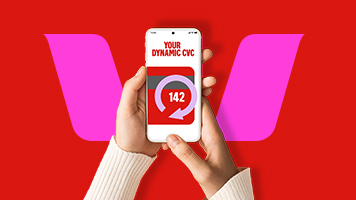
Use your Digital Card
Find the digital version of your card* in the Westpac App. With a dynamic CVC security code that changes every 24 hours, it reduces the risk of fraudulent activity, if your details are compromised.
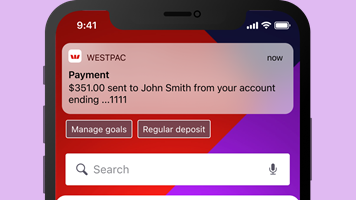
Get alerts from the App
Get helpful, real-time reminders like deposit, withdrawal, credit card repayment and security notifications when there are changes to your accounts.

Take the Security Wellbeing Check
Level up the security for your Online Banking via the App. We’ll let you know what you can do to protect yourself and your accounts.
Things you should know
1. You must be registered for Online Banking before you can use Online Banking to update your details.
Before registering for or using Online Banking please read the Westpac Online Banking Terms and Conditions (PDF 633KB) at westpac.com.au
Mastercard® is a registered trademark, and Mastercard ID CheckTM is a trademark of Mastercard International Incorporated.
iPhone, iPad, iPod touch and Apple Watch are trademarks of Apple Inc., registered in the U.S. and other countries. App Store is a Service mark of Apple Inc.
Android, Google Play and the Google Play logo are trademarks of Google LLC.