
Click to Pay
Online shopping made secure, fast and convenient with Click to Pay.
What is Click to Pay and why should you use it?
Click to Pay is a payment feature linked to your eligible Westpac Card(s), that makes checking out online secure, fast and convenient.
Secure
Fast
Convenient
Setup and manage your Click to Pay profile
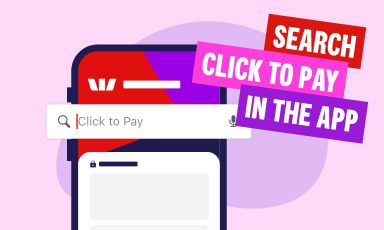
Check if your Click to Pay profile has been set up
Open the Westpac App or Online Banking and search Click to Pay. The next screen will tell you if you are already enrolled or if you need to setup Click to Pay.
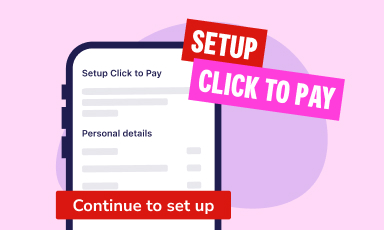
Setup Click to Pay
Select Continue to setup and follow the prompts to setup your profile.
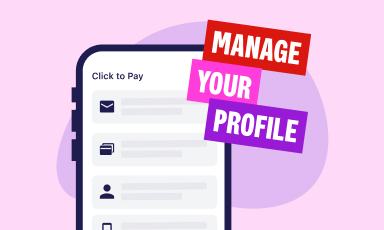
Manage your profile
You can update your registered Click to Pay email address and mobile number, add/remove your Westpac card(s) and delete your Click to Pay profile.
Checkout online with Click to Pay
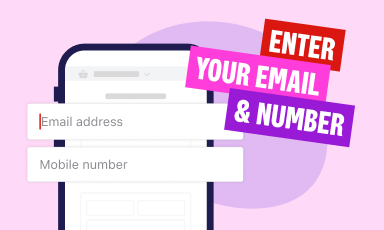
Step 1
Enter your email and mobile number at check out. If your details match those we have for you in Online Banking, Mastercard will recognise those details and send you a one-time code.
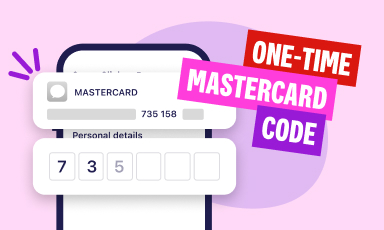
Step 2
You’ll receive a one-time code from Mastercard. Enter the code to confirm it's you.
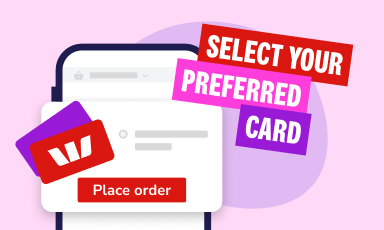
Step 3
Choose your preferred card you want to pay with and place your order.
Step 4
Your payment is complete.
Merchants
You can use Click to Pay with your eligible Westpac Card(s) wherever it is supported by the Merchant and the Click to Pay icon is displayed.

Frequently asked questions
- Be registered for Westpac Online Banking and Westpac Protect™ Security Code
- Have an eligible and activated Westpac Mastercard (debit or credit)
- Have a unique email address and mobile number registered in Westpac Online Banking. These contact details are used to create a Click to Pay profile or match an existing one. They cannot be shared with other customers.
Westpac customers who meet the eligibility criteria for Click to Pay may be automatically registered. If you have not been registered, you can register through the Westpac App by searching for Click to Pay, then selecting Get started and Continue to setup and following the prompts to set up your profile.
- Unique email address that is registered on Westpac Online Banking and is not associated with another Click to Pay profile
- Registered mobile number used for authentication by Westpac
- Card details of your eligible Westpac Card(s).
Westpac discloses your personal information to 3rd parties in accordance with our privacy statement and Terms and Conditions of your eligible card. For Click to Pay, Westpac will disclose your personal information, such as full name, card details and contact details to Mastercard for the purposes of processing transactions via Click to Pay.
Mastercard will use standards supported by the global payments industry when using your Click to Pay profile to enable the Click to Pay checkout to protect your personal information.
Click to Pay is an electronic commerce (e-commerce) checkout experience developed by Mastercard on the basis of the EMVCo Standards that aims to deliver for e-commerce payment transactions the same security, convenience, and control currently offered to cardholders at the physical point of sale. Refer to the Mastercard Click to Pay Terms and Conditions on mastercard.com.au for more details.
Westpac does not control the Click to Pay checkout, including how your personal information is handled by Mastercard. For more details on how Mastercard collect, protect and share your personal information, check Mastercard’s Click to Pay website for more information.
The unique email address and mobile number you've registered in Online Banking.
You may find that you have already registered to Click to Pay via a merchant or the Mastercard Website previously. If you had used the same email address and mobile number you have registered in Westpac Online Banking, your accounts will be merged into one Click to Pay account. However, if you used a different email address or mobile number, you will have two different accounts.
Your card may be ineligible, please contact us.
No, currently Click to Pay can only be used at online checkouts.
Yes, you can delete your profile through the Westpac App by searching for Click to Pay, then selecting Delete Westpac profile from Click to Pay and following the prompts.
You can manage your Click to Pay details through the Westpac App by searching for Click to Pay. You can update your registered Click to Pay email address and mobile number, add/remove your Westpac card(s) and delete your Click to Pay profile.
Please note that if you are editing your personal details (email address or mobile number) you’ll be redirected to Westpac’s ID Hub to update your details. Any changes you make in ID Hub will apply across all your Westpac services, not just Click to Pay.
Yes, you can add or remove your Westpac Cards within your Click to Pay profile at any time. Westpac will automatically update your profile with any eligible cards you have, but you can also do so manually through the Westpac App by searching for Click to Pay, then adding any eligible cards you have to Click to Pay.
If you choose to delete your profile, all saved cards will be removed, and you’ll need to setup Click to Pay if you want to use it again. You can setup your profile again through the Westpac App by searching for Click to Pay, then selecting Get started and following the prompts to set up your profile.
You may still have a Click to Pay profile with another bank. Deleting your profile in the Westpac App only removes your Westpac cards from Click to Pay.
If you’re still seeing cards at checkout, contact your other bank(s) to delete your Click to Pay profile with them.
Yes. You can remove individual cards through the Westpac App by searching for Click to Pay. You can then add/remove your Westpac card(s) without deleting your entire profile.
You may have changed your email or mobile number in your Westpac profile to a shared one, which makes you ineligible. You can manage your Click to Pay details through the Westpac App by searching for Click to Pay and updating your registered Click to Pay email address and mobile number.
Things you should know
This information does not take your personal objectives, circumstances or needs into account. Consider its appropriateness to these factors before acting on it. Read the disclosure documents for your selected product or service, including the Terms and Conditions, before deciding.
To use your eligible Westpac card with Click to Pay you must be registered for Westpac Online Banking and Westpac Protect™ Security Code.
Mastercard’s Click to Pay Terms and Privacy Notice apply. Check Mastercard’s Click to Pay on mastercard.com.au for more information.
Mastercard® and the circles design are registered trademarks of Mastercard International Incorporated.
The Click to Pay icon is a trademark owned by and used with permission of EMVCo, LLC.
© Westpac Banking Corporation ABN 33 007 457 141 AFSL and Australian credit licence 233714