
Split big buys into small repayments
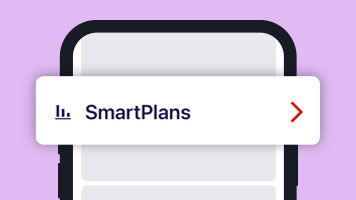
What is SmartPlan?
SmartPlan is a repayment planner for Westpac personal credit card customers.
SmartPlan is a repayment plan for your credit card. It splits your credit card repayments into manageable instalments.
There are two types of SmartPlan:
- A Large Purchase SmartPlan for single purchases of $200 or more made within the last 30 days.
- A Balance SmartPlan for any credit card balance (or part of a credit card balance) of $200 or more.
Enjoy the smarts of SmartPlan
Help manage credit card stress
Made extra purchases on your credit card? Just spilt your repayments into easier, manageable instalments.
Set-up in the Westpac App or online
Look out for the SmartPlan option for your credit card purchases of $200 or more in the Westpac App or online.
Track multiple SmartPlans
Get the repayment support of up to 8 SmartPlans at a time to help you manage your monthly budget better.
Which SmartPlan is right for you?
Large Purchase SmartPlan
For single credit card purchases of $200 or more made within the last 30 days. When you need easier repayments for purchases like a new laptop or washing machine.
Balance SmartPlan
For any credit card balance (or part of a credit card balance) of $200 or more. For times when you’ve had extra monthly expenses or need to manage a balance transfer.
How a 3, 6 or 12-month Large Purchase SmartPlan works
Made some big buys this month? Here are 3, 6 or 12-month Large SmartPlan examples as a guide. The actual costs of any SmartPlan will be confirmed during setup in the Westpac App or in Online Banking.

Washing machine - 3 months
Purchase value: $500
Establishment fee: 1% ($5)*
Monthly instalment: $168.33
Interest: 0% if you repay within 3 months

Laptop – 6 months
Purchase value: $1,000
Establishment fee: 2% ($20)*
Monthly instalment: $170
Interest: 0% if you repay within 6 months

International flight – 12 months
Purchase value: $2,000
Establishment fee: 4% ($80)*
Monthly instalment: $173.33
Interest: 0% if you repay within 12 months
How do I set up SmartPlan?
In the WestpacApp
- Open your credit card transactions list.
- Search for SmartPlan and follow the steps.
In Online Banking
- Open your credit card transactions list.
- Select the SmartPlan bar chart icon (shown next to eligible purchases).
- Open the pop-up. Select Explore plan options.
- Choose your preferred option. Select Review and confirm.
- Need a Balance SmartPlan? Select Repayment plans in your transactions list.
Your SmartPlan will be active within 2 business days from set up. You can create up to 8 SmartPlans at any given time.
Download the Westpac App
If you are registered for Online Banking you automatically get access to the App.


Frequently asked questions
You can set up and manage your SmartPlan in Online Banking:
- For a Balance SmartPlan, select your credit card balance.
- For a Large Purchase SmartPlan, select a purchase of $200 or more made within the last 30 days. Purchases eligible for SmartPlan will be marked with an icon in your transaction history. To ensure that your credit card balance does not exceed the credit limit, please consider the amount of the establishment fee indicated when you set up a plan.
Your SmartPlan will be activated within 2 business days of set up. You can cancel your SmartPlan any time in Online Banking.
An establishment fee applies to any Large Purchase SmartPlan, calculated as a percentage of the eligible purchase amount. The percentage is set by the term you select for your Large Purchase SmartPlan:
| Large Purchase SmartPlan term |
Establishment fee |
|---|---|
| 3 months | 1% of the eligible purchase amount |
| 6 months | 2% of the eligible purchase amount |
| 12 months | 4% of the eligible purchase amount |
The establishment fee will be added to the Large Purchase amount and will be payable in monthly instalments. This means that if you cancel your SmartPlan, you will still be required to pay the establishment fee. The establishment fee will be confirmed to you when you set up a Large Purchase SmartPlan in Online Banking.
Balance SmartPlan
Amounts put onto a Balance SmartPlan may attract interest at the SmartPlan Annual Percentage Rate. Any applicable interest charges will be confirmed to you when you set up a Balance SmartPlan in Online Banking.
There could be several reasons as to why you are unable to create a SmartPlan:
a. Your account must be in order.
b. For a Large Purchase SmartPlan, the full transaction amount for that purchase must be owing on the account. For example, if you have made a $10k purchase but only owe $5k due to making repayments to the account, you will not be able to create a Large Purchase SmartPlan for this transaction.
Each month you will have to pay your minimum SmartPlan repayment(s) for each SmartPlan you have on your card. In addition, you will have to make the minimum monthly repayment on any amount owing on your credit card that is not on a SmartPlan.
Late payment fees may also apply if you miss your minimum monthly payment.
You will be required to pay the monthly closing balance minus the transaction amount placed onto SmartPlan. For example, if your statement closing balance is $10k, and you placed a $5k purchase onto SmartPlan, your required monthly payment would be $5k. If you have AutoPay established already, this will automatically be adjusted to sweep the required amount.
You can make additional repayments, but they will be applied to your Main Account Balance before your SmartPlan balance(s). Once your Main Account Balance is paid off, any additional repayments will be applied to your SmartPlan.
At the end of the SmartPlan term, any remaining SmartPlan balance will be transferred to your Main Account Balance and accrue interest in accordance with the Credit Card Terms and Conditions.
As any payment you make is applied to unpaid SmartPlan Repayments first, it means that any other balances that attract a higher interest rate may be repaid later and as a result may attract greater interest charges. Please refer to the Credit Card Terms and Conditions for more information.
Only primary cardholders can create or cancel a SmartPlan in Online Banking or the Westpac App. Additional cardholders can view the details of a SmartPlan.
Yes, you will be notified accordingly whether your request for a SmartPlan has been successful or unsuccessful.
If you do not pay the Minimum Payment Due by the due date, then your SmartPlan will automatically be cancelled and a missed payment fee may be charged to your account. Any remaining SmartPlan balance and, any interest or establishment fees applicable to your SmartPlan will still be payable and the variable Annual Percentage Rate that applies to the relevant type of balance will apply to the amount remaining.
Your SmartPlan will not be cancelled if you pay the Minimum Payment Due without covering the SmartPlan repayment and no missed payment fee will be charged to your account. You can attempt to make up for the missed payments however subsequent SmartPlan repayments will still be required on a monthly basis.
- The monthly payment includes all SmartPlan repayments plus the minimum payment due.
- The monthly payment balance is calculated as the Main Account Balance minus the Balance Transfer Balance and the PartPay Balance plus any SmartPlan instalments shown on a statement. The main account balance is the closing balance minus the SmartPlan remaining balance.
- The closing balance is the entire amount you would have to pay to bring your credit card account balance to $0.
Please check your credit card statement each month to see what you have to pay and the due date.
PartPay is a feature for eligible credit cards that splits an individual purchase of $100 or more into 4 payments over 6 weeks. You need to make the purchase using your PartPay Digital Card to take advantage. There is no establishment fee associated with PartPay.
SmartPlan is a payment option you choose after making a purchase. It needs to be set up separately, has an establishment fee and repayment options of 3, 6 and 12 months. You can use it to pay off an individual purchase of $200 or more, or a balance on your credit card.
Things you should know
SmartPlans are currently available for eligible Westpac consumer credit cards. Fees may apply.
You need to register for Online Banking before you can set up a SmartPlan. Read the Online Banking terms and conditions here: Online Banking Terms and Conditions (PDF 633KB)
* The establishment fee is charged upfront but is payable in monthly instalments over the term of your Large Purchase SmartPlan. This means that if you cancel your SmartPlan (or don’t make the required SmartPlan repayments) you must still pay the whole establishment fee, including any interest on the establishment fee.
SmartPlan requires cardholders to make regular monthly payments for the full term and at the interest rate that applies when the SmartPlan is created. Note: To ensure that your credit card balance does not exceed the credit limit, please consider the amount of the establishment fee indicated when you set up a plan.
All payments made to your credit card account will be applied first to any SmartPlan instalments. Therefore debts accruing a higher interest rate may be left unpaid during the SmartPlan term.
Any balance transfer amounts on a SmartPlan must have a remaining term of between 3 and 36 months to be eligible for a SmartPlan. See Westpac SmartPlan Terms and Conditions for more details.
SmartPlan cancellation takes up to 2 business days. When a SmartPlan ends, any remaining balance will revert to the variable annual interest rate for your balance type or special offer rate as applicable.
Cardholders keep interest-free days (if applicable) with a balance transfer when you pay the Monthly Payment Balance specified on your statement by the due date. The Monthly Payment Balance includes any SmartPlan instalments but does not include any outstanding balance transfers.