
An award-winning bank account with extras
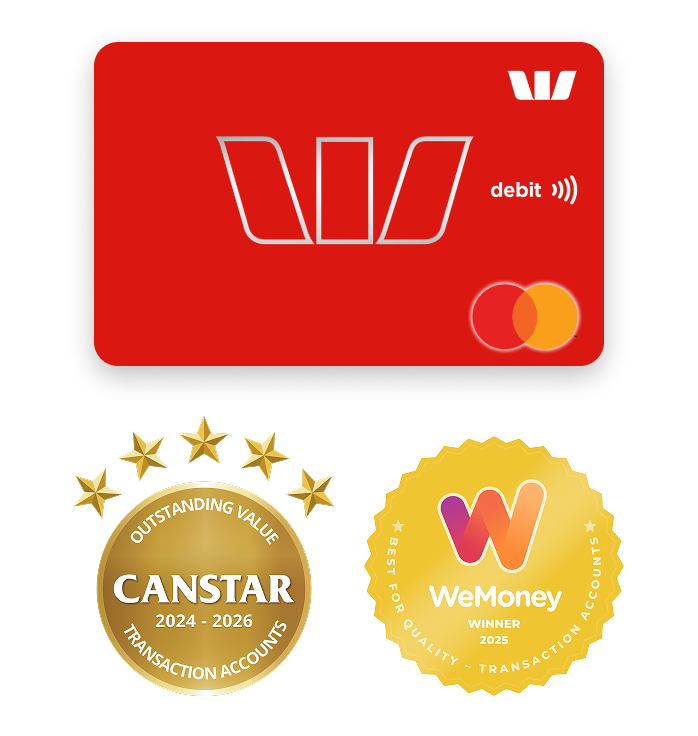
Westpac Choice transaction account with a Debit Mastercard® voted:
- Canstar's Outstanding Value for Transaction Accounts 2024-2026
- WeMoney Winner 2025 for Best Quality - Transaction Accounts
You could earn
$50
Cashback with a new account
If you open a new Westpac Choice everyday account and an eligible savings account by 31st March 2027, here's how you could get $50:
- Spend at least $50 on your debit card within 15 days of opening on eligible purchases
- You must not have held any Westpac transaction account or savings account in the last 2 years years
- Accounts must be in your name only (no joint accounts).
See all FAQs
This promotion runs from 9th June 2026 to 31st March 2027.
To be eligible you must:
- 18+ and have not held any transaction account or savings accounts with Westpac in the last 2 years from the date the last transaction or savings account closure.
- Open a new Westpac Choice account AND, either a Westpac Life OR Westpac eSaver. Accounts must be in the same name, activated and ready to use.
- Make eligible purchases totalling at least $50 using the debit card linked to your Westpac Choice account within 15 calendar days of the first account being opened. Transaction(s) must be processed (not pending) by the end of the 15th day.
- Transaction(s) must be customer-initiated and does not include interest payments, direct debits or internal transfers between your Westpac accounts.
- Keep the account open for a minimum of 60 days after you meet all other eligibility criteria.
- Hold the accounts in one name only. These accounts cannot be joint accounts.
If you meet the above:
- You're eligible for a one-time $50 payment.
- The $50 payment will be made to your Westpac Life or Westpac eSaver account within 60 days of you meeting all Terms and Conditions and eligibility criteria.
- If you open more than one Westpac Life or Westpac eSaver account, the $50 payment will only be made once into the first savings account opened and activated.
- This promotion may be varied or withdrawn at any time. It is not available in conjunction with any other offer unless otherwise stated.$0
Monthly and withdrawal fees
- For at least the first year on new accounts for eligible customers (details in the fees section).
- No cash withdrawal fees from Westpac and select partner ATMs
- Unlimited transactions and account enquiries.
- No international transfer fees to send money overseas via Online Banking or the Westpac App (other fees may apply).
Why choose a Westpac Choice account?
Instant Digital Card
Start spending using your digital card in Apple Pay or Google Pay, before your physical card arrives.
Save on fees
Pay no Westpac foreign currency transfer fees, or withdrawal fees1 at 3k+ ATMs.
Banking on the go
Skip the trip to the branch and manage your banking when it suits you by using the Westpac App.
Language support
Access translation services, multilingual ATMs, and English guides for easier Aussie banking.
Frequently asked questions
I am still overseas
- If you are still overseas and moving to Australia within 14 days, please use "Set up or open now > I'm Overseas" option and proceed with the bank account application.
Yes, I’m in Australia
- Select "Set up or open now > I'm in Australia" and proceed with the bank account application.
I do not know my arrival date
You can return to start your application when you are due to arrive within 14 days.
Keep your information safe
- Use your own device.
- Complete the application yourself.
- Never share your SMS code or login details with anyone.
Before you start, have these things ready:
- Your passport
- Visa details (if applicable)
- mobile phone (international phone number is allowed)
- valid email address,
- arrival date,
- Australian address (temporary address in Australia is allowed), and
- foreign Tax residency details for any country you are a tax resident.
You may be asked for additional information depending on your circumstances.
Yes, if you are starting your application from overseas, you may use an overseas number. After arriving in Australia, you can update this to an Australian number within the Westpac Banking App. Search Update Contact details in the smart search bar. Edit your phone number and save any changes.
Your Customer ID or Customer number is an 8-digit unique number used by Westpac to identify you. It is used to sign in to Online Banking and the Westpac Banking App.
To complete your application:
- Verify your mobile number. We’ll send you an SMS code.
- Complete the application. We’ll ask you for some more information.
- Submit your application. We’ll review your details.
- Check your email. We’ll email your Customer ID and tell you what to do next.
Once you are in Australia, you can complete the next steps to open your account.
Sometimes an SMS code may not reach an international mobile number.
- Check your mobile number is correct.
- Check you selected the correct country (the country code gets auto-filled based on the country selected)
- Check your phone has mobile signal and can receive SMS messages.
- Wait a few minutes, then request a new code.
You can try again later. If you still can’t receive the SMS code, you can visit a Westpac branch after you arrive in Australia for help. You can also apply once you are in Australia using an Australian mobile number.
Follow the instructions shown on the screen. If you are asked to visit a Westpac branch, take the information shown in the message with you.
Once you are in Australia, you will need to complete your identity verification.
If you're from India, China, or New Zealand you can do this online. Here is a short video on Smart Verify to do this online.
In case of any issues with your online ID verification, you can visit your nearest branch to get further support.
If you aren't eligible to complete your identify check online, you'll need to present a valid form of ID at a Westpac branch to complete your ID verification.
Please check our Identity checklist (PDF 657KB) for accepted documents needed for individual customers.
If you’re having trouble receiving an SMS or any errors during your application, contact us through the "message us" chat option on the page.
There are different types of bank accounts you can open, depending on what you need. The two main types of bank accounts in Australia are transaction (or everyday) accounts and savings accounts. You can open one (or both) when you arrive in Australia.
A transaction account gives you access to your money. If you’re working while you’re here, it will likely be an account your employer to pay wages into, and for day to day transactions, bills and payments .
You can apply for a transaction account through the "Set up or open now" option in this page.
iPhone
- Go to the App Store
- Search Westpac
- Tap Get and follow the prompts
Android
- Go to the Google Play Store
- Search Westpac
- Tap Install and follow the prompts
To start banking, open the Westpac App, enter your Customer ID and Online Banking password.
GET YOUR MOBILE SORTED WITH OPTUS
Just

The choice for easy day-to-day banking and more
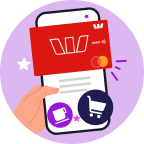
Instant Digital Card®
Before you get your Debit Mastercard® you may be able to use the digital version in the Westpac App.
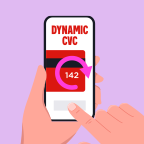
Fast, secure payments
Make payments online and in-store with your Debit Card that has a CVC that updates every 24 hours.

Banking on the go
Skip the trip to the branch and manage your banking when it suits you by using the Westpac App.

Get exclusive offers
Make full use of our customer-only discounts and cashback offers, including special ShopBack deals.

We speak your language
If English is not your first language, we offer:
- Language help and translation services
- ATMs with 9 languages other than English
- Easy English Guides for banking and other services.
Save time, apply online
Account fees
| Standard fees (fees may change) | Amount |
|---|---|
|
$0 Account-Keeping Fee (usually $5 per month)
The monthly fee is waived if you:
|
$0 |
| Standard fees (fees may change) | Amount |
|---|---|
| Online Banking withdrawal (including Mobile Banking) | $0 |
| Telephone Banking withdrawal (self service) | $0 |
| Telephone Banking withdrawal (staff assisted) | $0 |
| Branch staff assisted withdrawal | $0 |
| Direct Debit | $0 |
| Point of Sale (POS) transactions | $0 |
| ATM cash withdrawals in Australia (ATM providers may charge a fee – watch out for that!) | $0 |
| Overdrawn Fee | $15 |
| Unarranged Lending Rate (ULR) is a debit interest rate charged to a transaction account if it becomes overdrawn without arrangement | 15.01% p.a. |
| Overseas Withdrawal Fee from a Global Alliance Partner ATM | $0 |
| Overseas Withdrawal Fee from a non-Global Alliance Partner ATM | $5 |
| Transactions made in foreign currency, and the merchant or financial institution is located outside Australia | 3% of the AUD transaction amount |
| Transactions made in foreign currency, and the merchant or financial institution is located in Australia | 2.2% of the AUD transaction amount |
Other fees and charges may apply. Please refer to the Terms and Conditions (PDF 749KB)
This account doesn't earn interest.
Safe and secure banking

- Online Banking Security Guarantee: Online Banking Security Guarantee: If your Westpac account is compromised by online banking fraud, we promise to return any missing funds. This guarantee only applies if you’ve followed our Online Banking Terms and Conditions (PDF 899KB). This includes: 1. Keeping your sign-in details, including passwords or Westpac Protect™ Security codes, private, 2. Not contributing to the loss, and 3. Telling us right away if you think there’s an unauthorised transaction or fraud on your account.
- Westpac Protect™ Security Code: Keep your Online Banking safe with a Security Code when using the Westpac App or your Online Banking service. This Security Code confirms that it's you transacting or making changes to your profile.
- Fraud Money Back Guarantee: Shop securely using your Debit Mastercard or Credit Card, backed by 24/7 fraud monitoring and our Fraud Money Back Guarantee. Westpac promises to return any missing funds to you if you've not contributed to the loss and contact Westpac right away. Check your card’s terms and conditions for full details.
- Card Lock: Can’t find your card? Sign into the Westpac App or Online Banking and select 'Lock a card temporarily' under Cards services on your eligible personal credit or debit card. You can search for your card knowing that your account is safe. Then, if you can’t find it, report it lost or stolen.
Things you should know
Westpac Debit Mastercard® Terms and Conditions (PDF 338KB)
Online Banking Terms and Conditions (PDF 899KB)
Find out what information you need to provide to become a customer (PDF 657KB)
Before making a decision about any of our products or services, please read all the terms and conditions and consider whether the product or service is right for you. Fees and charges apply and may change.
Australia's first and largest banking network: As at 30 June 2025, based on number of Westpac Group branches & ATMs, and atmx & Precinct ATMs that funds from Westpac Australia accounts can be accessed.
This website uses cookies to enhance your browsing experience, analyse site traffic, and offer personalised content and advertisements as described in our Privacy Statement.
Westpac is neither undertaking any banking business in India nor is Westpac soliciting foreign currency deposits under any scheme in India. This information is intended for individuals planning to migrate to Australia.