
Travel money card
Lock in your exchange rate before you travel or shop with your prepaid Mastercard® Worldwide Wallet. Convert to up to 11 supported currencies and enjoy access to the Flight Delay Pass.
At a glance
$0
Account-Keeping Fees
For your Worldwide Wallet account (fees may apply to Choice account – view fees section).
$0
Load or unload fees
Load in AUD whenever you need, then convert to up to 10 foreign currencies.
$0
Cash withdrawal fees
Through our Global ATM Alliance and overseas partner ATMs. Locate ATMs in the Westpac App.
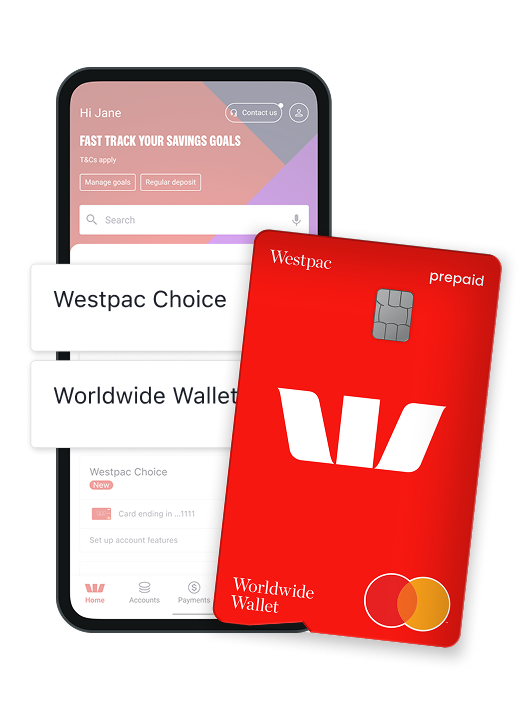
Why the Worldwide Wallet is a trusted travel companion?
Make your dollar go further
Lock in your budget by converting your loaded AUD ahead of time. Then, use your Worldwide Wallet to shop online or overseas in one of the 11 supported currencies.
Travel and shop worry-free
Feel safe and secure with Mastercard Zero Liability protection. This means you’ll be reimbursed for any unauthorised transactions as long as you've:
- Not contributed to the loss
- Exercised reasonable care in protecting your card and account
- Let Westpac know as soon as you became aware of loss, theft, or misuse.
Lounge access if your flight is delayed
You and a companion can get access to over 1,000 lounges if your flight is delayed for 120 minutes or more. You must register each flight before its scheduled departure time. Visit Mastercard Flight Delay Pass to pre-register your flight.
Access experiences and rewards
You could access Priceless® Cities with unforgettable experiences in the cities where you live and travel (for terms of use, visit priceless.com/terms/en_AU). Plus, get cashback when you shop overseas, thanks to Mastercard Travel Rewards.
Access up to 11 supported currencies
| Available currencies | |||
|---|---|---|---|
 |
AUD - Australian Dollar |  |
USD - United States Dollar |
 |
EUR - Euro |  |
GBP - British Pound |
 |
NZD - New Zealand Dollar |  |
CAD - Canadian Dollar |
 |
JPY - Japanese Yen |  |
THB - Thai Baht |
 |
ZAR - South African Rand |  |
SGD - Singapore Dollar |
 |
HKD - Hong Kong Dollar | ||
Complete visibility and control
All in one view
See your account balance and transactions in the Westpac App or in Online Banking.
Move money easily
Transfer and convert AUD into foreign currencies while you’re on the go in the Westpac App.
More ways to pay
Add your Worldwide Wallet to Google Pay™ or use your physical card to tap and go.
Backup card
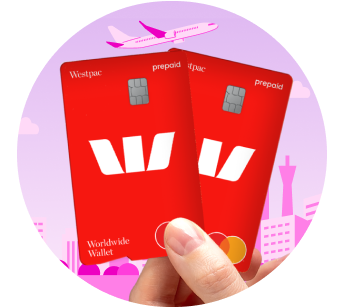
You'll get 2 Worldwide cards to access the same funds that you can lock instantly if needed.
How Worldwide Wallet works
Before you leave
- Activate both cards in Online Banking and set up your PIN
- Transfer AUD to your card and convert into your choice of up to 11 supported currencies to lock in your rates.
While you’re away
- Pay for things using the local currency loaded on your card
- Avoid ATM fees at Global ATM Alliance partners (other fees may apply)
- Reload your card as you go using the Westpac App, with no load or reload fees.
When you get home
- Convert leftover currency back to AUD or another supported currency, with no unload fees.
Ready to get started?
Double your $50 with us!
Open both a Westpac Choice everyday account and an eligible savings account. Deposit at least $50 into your Choice everyday account within 10 days, and we’ll add $50 to your savings. Ends 20/04/2026. New customers only. T&Cs apply.
Account fees
To open a Westpac Worldwide Wallet account, you must:
- Hold a Westpac bank account in the same name
- Be registered for Online Banking.
Fees and charges may apply on an everyday account, including a $5 monthly Account-Keeping Fee.
| Standard fees (fees may change) | Amount |
|---|---|
| Account-Keeping Fee | $0 |
| Loading fee (to add AUD into the account) | $0 |
| ATM cash withdrawals in Australia (ATM providers may charge a fee – watch out for that!) | $0 |
| Overseas Withdrawal Fee from a Global Alliance Partner ATM (for more information on Global Alliance Partners: Accessing your accounts overseas) | $0 |
| Foreign transaction fees | $0 |
Other charges
If you transact in unsupported currencies or have insufficient balance to complete a transaction in a supported currency, the following will apply:
1. Mastercard’s foreign exchange rate
2. Westpac’s 2% margin.
Charges may apply from:
- Merchants
- A merchants’ financial institution
- Third-party ATM operators.
If you decide to open a Westpac Choice transaction account, the following fees will apply:
| Standard fees (fees may change) | Amount |
|---|---|
| Account-Keeping Fee (monthly) | $5 (criteria for fee waiver below) |
| Online Banking withdrawal (including Mobile Banking) | $0 |
| Telephone Banking withdrawal (self service) | $0 |
| Telephone Banking withdrawal (staff assisted) | $0 |
| Branch staff assisted withdrawal | $0 |
| Direct Debit | $0 |
| Point of Sale (POS) transactions | $0 |
| ATM cash withdrawals in Australia (ATM providers may charge a fee – watch out for that!) | $0 |
| Overdrawn Fee (for more information: Overdraw Preference Feature) | $15 |
| Overseas Withdrawal Fee from a Global Alliance Partner ATM (for more information on Global Alliance Partners: Accessing your accounts overseas) | $0 |
| Overseas Withdrawal Fee from a non-Global Alliance Partner ATM | $5 |
| Transactions made in foreign currency, and the merchant or financial institution is located outside Australia | 3% of the AUD transaction amount |
| Transactions made in foreign currency, and the merchant or financial institution is located in Australia | 2.2% of the AUD transaction amount |
| Unarranged Lending Rate (ULR) is a debit interest rate charged to a transaction account if it becomes overdrawn without arrangement | 15.01% p.a. |
The monthly fee is waived for:
- Customers that deposit at least $2,000 each month
- Customers under the age of 30 or full-time tertiary students
- Westpac Choice Concession account holders
- New to Australia or expatriate customers (for the first 12 months)
- Customers that link their Choice account to their Rocket Repay Home Loan or Rocket Investment Loan as an offset account (for as long as the account is linked)
- Customers that open a new Westpac Choice account online (for the first 12 months).
Customers aged 30 to 34 will be refunded the Account-Keeping Fee within 5 business days of the fee being charged.
Open a new Westpac Choice account online between 1 February 2024 and 30 September 2026 to have the monthly Account-Keeping Fee waived for the first 12 months. At the end of the 12-month period, the monthly Account-Keeping Fee (currently $5) will apply unless the minimum monthly deposit criteria are met. Individual(s) under the age of 30, New Arrivals, and students are ineligible for this Offer. This offer is not applicable to the Westpac Choice Concession account. For joint accounts, individuals must meet the eligibility criteria for the fee waiver to apply. Other fees and charges, terms and conditions apply to the Westpac Choice account. This offer may be repeated from time to time, withdrawn, varied, or extended at any time.
Other fees and charges may apply. Please refer to the Westpac Worldwide Wallet Product Disclosure Statement (PDF 371KB)
Frequently asked questions
You’ll need to be a customer with a Westpac bank account. The reason is, that you need to be able to load AUD into your Worldwide Wallet account. You can do that by transferring from a Westpac bank account.
You’ll be sent 2 Worldwide wallet cards, as the second card is a backup card. The spare card should only be used if the Primary Card has been lost, stolen or damaged. For your security, the spare card should only be used by yourself, and not given to anyone else.
When you open a Westpac transaction account as well as a Worldwide Wallet, you’ll receive a Debit Mastercard® that is linked to the transaction account. This card has a horizontal orientation and a notch on the right side of the card. This card is NOT your Worldwide Wallet card. You’ll be able to recognise your Worldwide Wallet cards as they have a vertical orientation and a notch at the bottom of the card.
With the Westpac Worldwide Wallet, you can shop online in 11 supported currencies (AUD plus 10 foreign currencies). You can shop safely by loading only the amount of AUD you need, then convert it into any of the following currencies:
- USD – United States Dollar
- EUR – Euro
- GBP – British Pound
- CAD – Canadian Dollar
- JPY – Japanese Yen
- THB – Thai Baht
- ZAR – South African Rand
- SGD – Singapore Dollar
- NZD – New Zealand Dollar
- HKD – Hong Kong Dollar.
With your card, you can easily check how much money you have in another currency and keep track of your spending.
You’ll also benefit from Mastercard Zero Liability protection. This means you’ll be reimbursed for any unauthorised transactions as long as you've:
- Not contributed to the loss
- Exercised reasonable care in protecting your card and account
- Let Westpac know as soon as you became aware of loss, theft, or misuse.
If you want to spend in a currency that isn’t loaded on your account, the payment will be made using one or more of the currencies you do have. There must be enough funds from the loaded currencies to cover the cost.
Funds will be withdrawn following the drawdown sequence as detailed in the Product Disclosure Statement (PDF 274KB) (PDF 371KB). The following will apply:
1. Mastercard® foreign exchange rate
2. Westpac’s 2% margin.
Yes. You can withdraw money or check your balance at overseas ATMs using your Worldwide Wallet. The balance displayed will be in the currency of the country you are visiting. You won’t pay an ATM withdrawal fee when using a Global ATM Alliance ATM (other fees may apply). However, fees may apply if you use an ATM outside of the Global ATM Alliance network.
Learn more about the Global ATM Alliance
You might want to download the Westpac App as:
- We may send you important notifications about your Worldwide Wallet while you’re travelling
- Using the app makes it easy for you to get these notifications while you’re on the go.
You can also use the app to:
- Instantly transfer AUD between your savings and transaction Westpac account(s) and your travel money card
- Convert between your loaded AUD and up to 10 supported foreign currencies at any time to lock in your exchange rate
- View your currency balances and transactions
- Access your Worldwide Wallet account’s BSB and account number as well as your eStatements
- Block your card(s) if they have been lost or stolen.
If you’re new to the Westpac App, learn more about how to get started.
If we don’t offer the currency you’re paying in, your Worldwide Wallet payments will be processed using other currencies in your account, as long as you have enough funds to cover them.
The order in which your currencies are used is called the ‘drawdown sequence’ and the applicable exchange rate at the time will apply.
The Mastercard® foreign exchange rate applies when the drawdown sequence is used and, effective 31 July 2025, a 2% margin will be charged by Westpac to your Worldwide Wallet card.
Things you should know
Westpac Retail and Business Banking Financial Services Guide and Credit Guide (PDF 218KB)
Before making a decision about any of our products or services, please read the PDS and all the terms and conditions and consider whether the product or service is right for you. Fees and charges apply and may change.
Protected by the Financial Claims Scheme (FCS): If you have a Westpac deposit account, in certain circumstances you may be entitled to a payment under the FCS. Payments under the FCS are limited for each customer. You can find out more information from the APRA website at www.fcs.gov.au.
Google Pay is a trademark of Google Inc.
Samsung and Samsung Pay are trademarks of Samsung Electronics Co, Ltd.
Mastercard and Price are registered trademarks, and the circles design is a trademark of Mastercard International Incorporated.