
Protect Yourself
Learn about the steps you can take and use the features that we have to make yourself a harder target for scammers.
Play a part to safeguard your banking
You play an important role in protecting yourself and your accounts from cyber criminals. Below are some of our security features and top tips to help you avoid becoming a target of fraud and scams.
4 features to help protect yourself
Don’t share Security Codes
You should be the only person with access to your Security Codes as this allows you to confirm certain transactions and changes to your account.
Activate Push Notifications
Receive real-time notifications for card purchases, deposits, withdrawals, as well as account and security notifications to assist in early fraud detection.
Use your Digital Card
Your digital card, which is available in the Westpac App, comes with a dynamic CVC that updates every 24 hours to make it safer to shop online.
Check with Westpac Verify
Enhanced with Confirmation of Payee to better protect you when paying someone using BSB and account number.

5 ways to help you stay safe
- To safely bank, always use our app or type westpac.com.au directly, don't click on any links in emails/SMS.
- Use a unique password for every account you have. Update them often to stay safe.
- Be cautious when entering your banking details into websites. Keep your contact details up to date so we can get a hold of you if something doesn't look right.
- Never share banking details with unexpected callers posing as the bank.
- Protect your device with the latest security software. Avoid downloads from unknown sources.
For more top tips, read about all the different types of scams.
Take control with Safeblock
If you suspect fraud or think you’ve shared details with a scammer, you can instantly lock your accounts and cards to stop transactions and unlock them anytime when you're ready – recognised with the Canstar Innovation Excellence Award 2026.
More things you can do

Take the Security Wellbeing Check
Safeguarding your information is our top priority. Take the Security Wellbeing Check. It’s a list of safety measures to give you added protection when banking.
Simple and safe ways to sign in
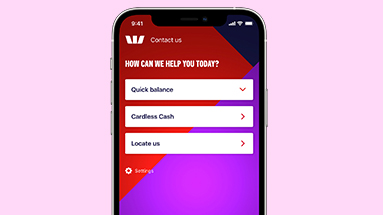
Choose from 4 convenient ways to sign into the Westpac App: Facial recognition, fingerprint, 4-digit password, or typing in your password.
Stay scam-smart with our webinar
Watch our specialist as they share practical tips to help you spot and avoid common scams. Discover how scammers think, learn to spot the latest investment and romance scams, and gain the tools to help protect yourself and your loved ones.
Stay safe with scam tips from Head of Fraud Prevention, Ben Young
-
 Letter box scam
-
Re-scam
-
Scam Workshop - English
-
Scam Workshop - Simplified Chinese
-
Scam Workshop - Vietnamese
-
Scam Workshop - Arabic
-
Bank impersonations
-
Investment scams
-
Business email compromise scams
Keep exploring

Security articles
Learn how to prepare, prevent, detect and respond to online threats or scams - for you, your family or your business.
How we’re protecting you
We monitor transactions 24/7 to identify unusual activities to protect you from fraud.