
Get started with your home loan
Congratulations on your new home! We’ll help you get everything in place, from setting up your home loan features to card activation.
Setting up and checking in on your Home Loan
How do I check my Home Loan details?
To check your current rate, balance and repayments, sign into your account. To check your rate and repayments, including any extra repayments you've made:
In the Westpac App
Make sure you have the latest version of the app.
1. Select your home loan account
2. Tap the (i) icon in the top right corner to view your rate.
In Online Banking
1. Select your home loan then View account details
2. Select Interest to view your rate.
How to set up a Direct Debit
Never miss an automated repayment, even if your minimum repayment amount changes. From a Westpac account in your name:
In the Westpac App
Make sure you have the latest version of the app.
1. Type home loan Direct Debit in the search bar
2. Follow the prompts
In Online Banking
1. Select Manage direct debit
2. Follow the prompts
Download, complete and return the relevant form (to your local branch, or scan and email loanmaintenance@mortgage.westpac.com.au
How to set up a repeat or recurring payment
Instead of, or in addition to a Direct Debit, you can schedule a payment:
In the Westpac App
Make sure you have the latest version of the app.
1. Tap $ and select Payment type
2. Select who to pay
3. Enter the Amount and tap Schedule
4. Select the date and how often to make the payment
In Online Banking
1. Select Payment > Make a Payment
2. Select Recurring Payment in Payment Details
How to adjust your repayments
For principal and interest home loans, you can change your repayment amount and frequency as long as you’re debiting a Westpac account in your name. You can’t adjust repayments on interest-only loans, but you can make separate additional repayments if you set up a recurring payment. For more details on interest-only home loans.
In the Westpac App
Make sure you have the latest version of the app.
1. Search home loan direct debits in the Smart Search bar
2. Tap your home loan and follow the prompts
In Online Banking
1. Select your home loan
2. Select More and then Home loan direct debit in the dropdown
3. Select your account and follow the prompts
Other helpful resources:
How does an offset account work?
An offset account lets you reduce the amount of interest payable on your home loan. It does this by offsetting the balance of your linked account against your loan balance. That means you’re only charged interest on the difference. The more money you keep in your offset account, or you have across multiple offset accounts linked to the same home loan, the less interest you’ll need to pay overall.
What type of account can be an offset account?
You’ll need a Choice account under your name, or you and your joint borrower’s name. A $5 monthly account-keeping fee usually applies to a Choice account. By linking your Rocket Repay Home Loan or Rocket Investment Loan to your Choice account the fee will be waived (other fees may apply).
Link up to 10 offset accounts
If you have a Rocket Repay Home Loan or a Rocket Investment Loan, you can link up to 10 offsets. Each eligible offset account can link to just one loan account. Linking can take up to 5 business days from request.
In the Westpac App
Make sure you have the latest version of the app.
1. Search Manage offset accounts in the Smart Search bar
2. Follow the prompts.
In Online Banking
1. Go to Service > Account services > select Manage offset accounts
2. Follow the prompts.
Other helpful resources:
How to add a credit card to your home loan package
Your package may include no annual fee on an eligible Westpac credit card.
In the Westpac App
- Tap Products & Offers.
- Select Credit Cards, choose your card and apply.
In Online Banking
- Go to Products > Credit Cards.
- Pick your preferred card and complete the application.
Helpful tip: The annual fee waiver applies automatically once your card is linked to your package.
Other handy resources:
How to activate your physical card
In the Westpac App
Make sure you have the latest version of the app.
- Search Activate card in the Smart Search bar
- Enter the Card number
- Tap Activate
- Tap to change your card PIN (optional)
In Online Banking
- Go to Service > Services > Card Services
- Select Activate physical card
- Enter the card details and select Activate
- Set your card PIN (if you haven’t already).
How to set up your digital card
In the Westpac App
- Search Digital card in the Smart Search bar
- Select the Digital card you’d like to view
- If your Digital card details do not display automatically, select Show all
- If this is your first time accessing your Digital card details and your card is not yet activated, select Activate digital card.
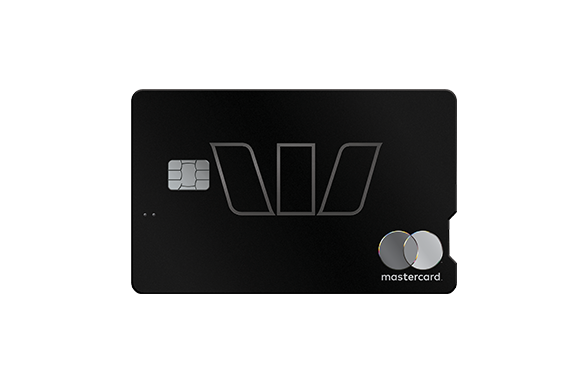
Up to 150,000 Qantas Points~ and a $0 card fee#.
You could earn up to 150k Qantas Points~ when you apply and are approved for an Altitude Qantas Black credit card. Plus, if you're a home loan package customer, we’ll waive your annual card fee# when the credit card is linked to your home loan package.
Only one credit card can be linked per package. T&Cs apply.
Talk to a banking specialist
Need help? You can request a callback. Fill out the form and we'll be in touch within 2–3 business days.
Where next? Self-serve in your own time

Things you should know
Conditions, credit criteria, fees and charges apply. Residential lending is not available for Non-Australian Resident borrowers.
This information is general in nature and has been prepared without taking your personal objectives, circumstances and needs into account. You should consider the appropriateness of the information to your own circumstances and, if necessary, seek appropriate professional advice.
Any tax information described is general in nature and it is not tax advice or a guide to tax laws. We recommend you seek independent, professional tax advice applicable to your personal circumstances.
~ Bonus Qantas or Velocity Points Promotion Altitude Black: Offer commenced 1st May 2026. To be eligible for bonus Qantas or Velocity Points, you must apply and be approved for a new Altitude Qantas Black or Altitude Velocity Black credit card before the offer is withdrawn. You will receive an initial 90,000 bonus points if you spend $6k or more on eligible purchases within 90 days of card approval. These will be credited to your points balance within 12 weeks of meeting this spend criteria. In your second year, spend a minimum of $6k on eligible purchases within 90 days of your card opened date anniversary, and you'll earn an additional 60,000 bonus points. These additional points will be credited to your points balance within 12 weeks of meeting the spend criteria. If you do not meet the minimum spend in the first year, you forfeit the bonus points for the first year only, however you are still eligible for bonus points in the subsequent year if you meet the minimum spend in the subsequent year during the promotional period. Existing Westpac customers who currently hold an Earth Classic, Earth Platinum, Earth Platinum Plus, Earth Black, Altitude Classic, Altitude Platinum or Altitude Black credit card, or who have held one in the last 24 months, are not eligible for this offer. Qantas or Velocity Points earned during a statement cycle are added to your Qantas or Velocity Points balance on a monthly basis. Eligible purchases do not include interest, fees and charges, cash or ATM cash advances, cash equivalent transactions, gambling transactions, a purchase from or payment to a local, state or federal government or government related agency, BPAY or similar transactions (such as Post Billpay), refunds and balance transfers debited from the card account. Credit Card Product Switches, upgrades or Westpac group staff are ineligible for this offer. This promotion may be varied or withdrawn at any time and is not available in conjunction with any other promotion.
#Premier Advantage Package - Receive No Annual Card Fee when linked to your Premier Advantage Package:
- Premier Advantage Package Conditions of Use and $395 annual package fee applies. You must either hold or be approved for a Westpac Choice account to qualify and continue to receive the benefits of the Premier Advantage Package. Before deciding to acquire a Westpac Choice account, read the terms and conditions, and consider if the product is right for you
- You can link one eligible credit card to your eligible Premier Advantage Package and receive no annual card fee while you remain on the Package. Refer to Premier Advantage Package Conditions of Use (PDF 195KB) for more information
- A credit card that is not in good standing is not eligible for inclusion in a package. If you are unsure of the status of your card, or would like to discuss your financial situation, please call us
- If you have an existing credit card that is already linked to your Premier Advantage Package, you will not be eligible for an annual card fee waiver
- It can take up to 60 days for us to apply an annual card fee waiver. However, if your credit card annual fee is charged in error, please contact us and we will refund that annual fee charge
- All other fees, charges and interest rates applicable to your credit card, such as any Reward Program Fees, are not waived as part of the package
If your package comes to an end or is cancelled the annual card fee waiver will no longer apply and the credit card that was linked to your package will become subject to the standard advertised fees, interest rates and charges that apply to that credit card product. You can visit our website to see our current credit card standard interest rates and charges.